Product design
Demand forecast dashboard
for in-house production goods
A tool for Lenta. Store managers use it to plan baking and order ingredients for each day. Analysts compare real sales with the forecast
Screens
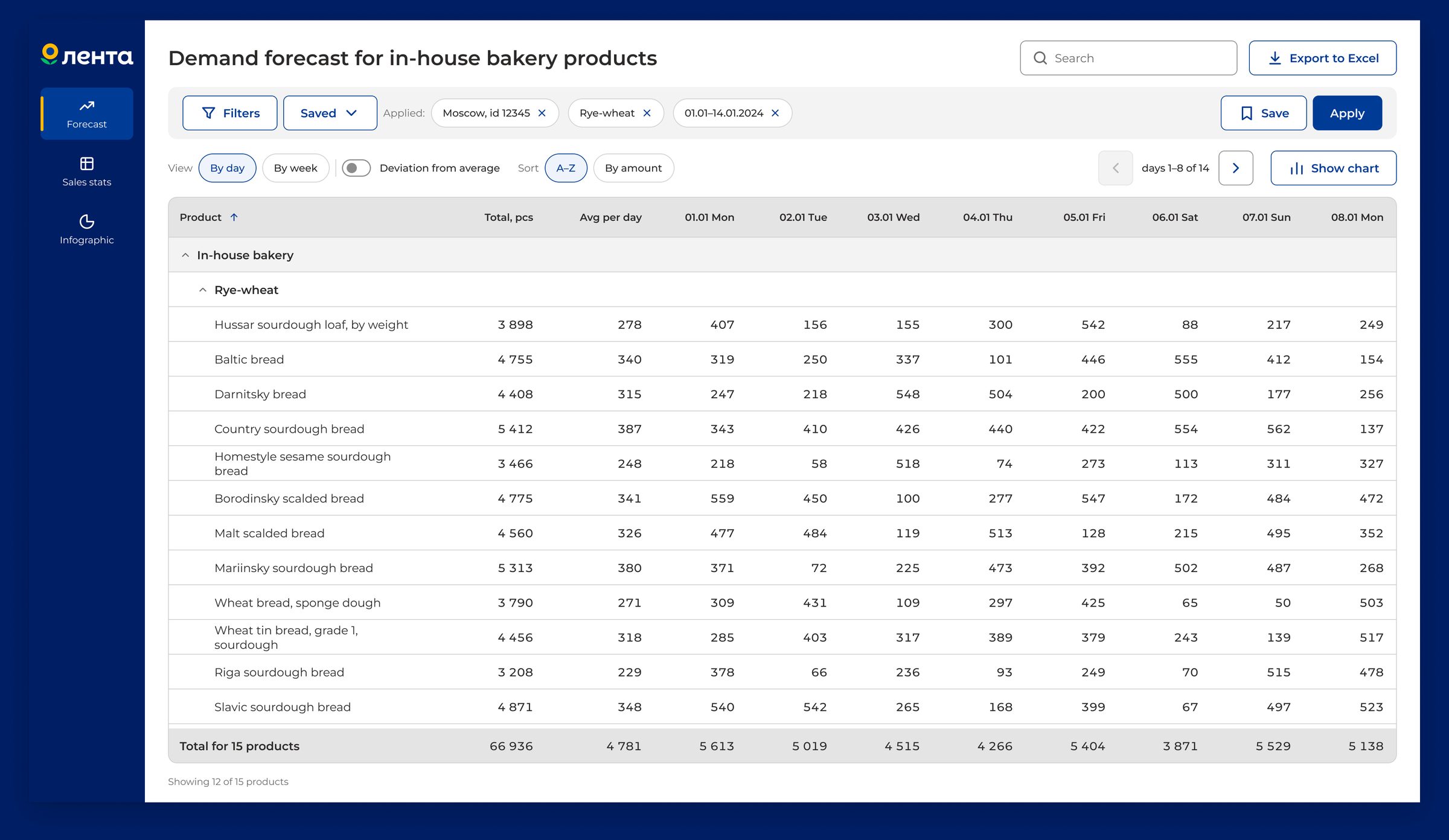
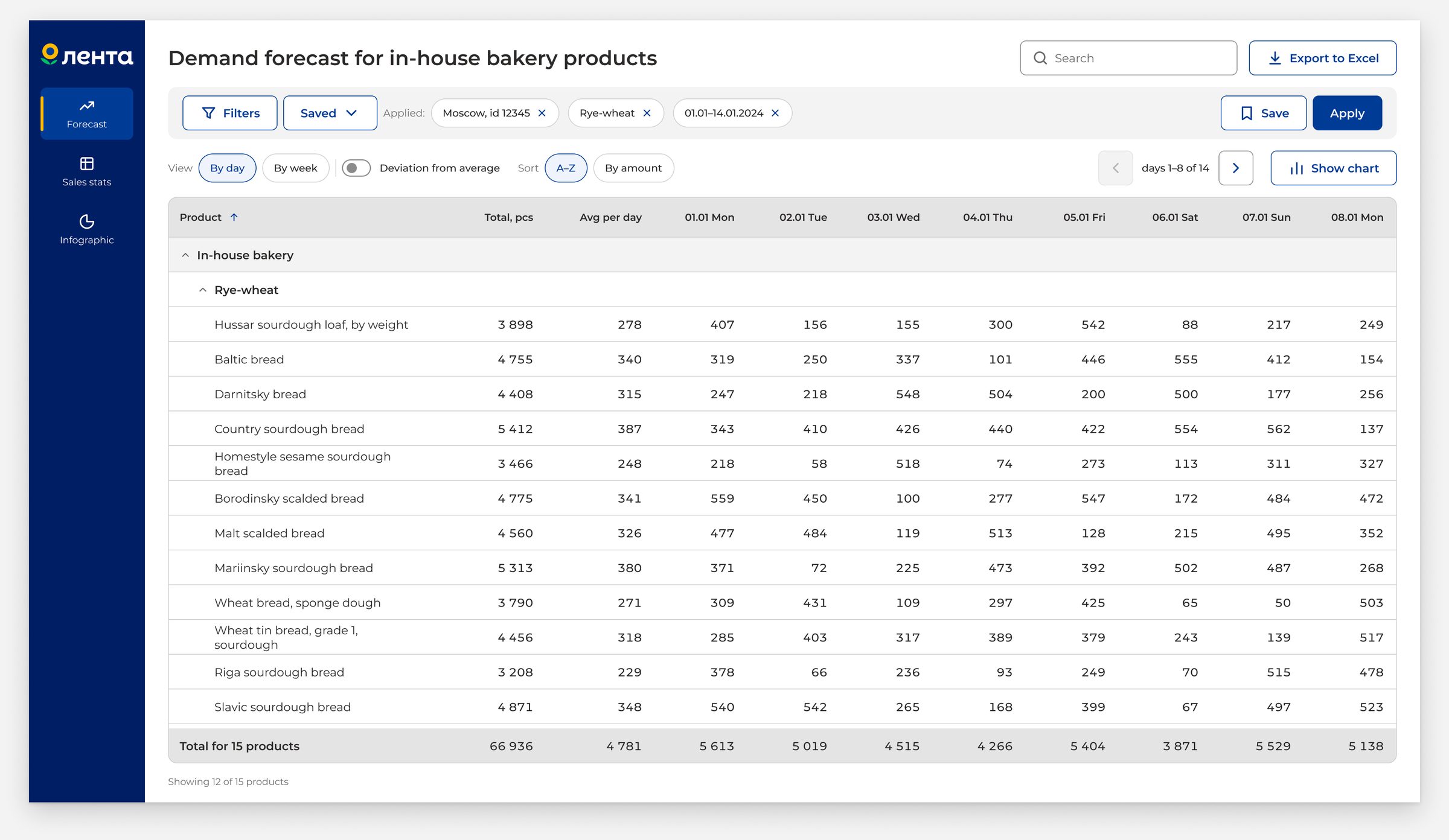
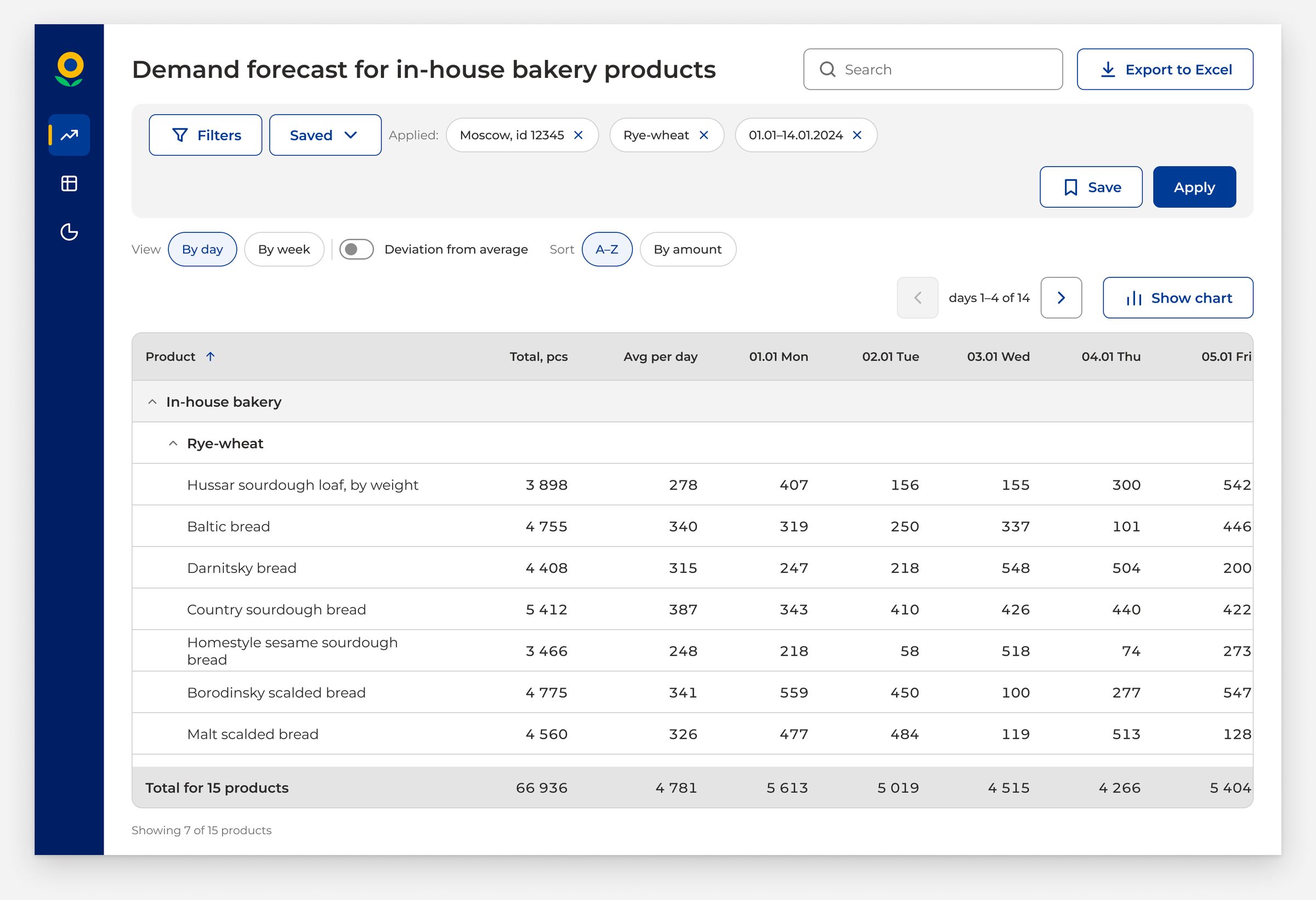
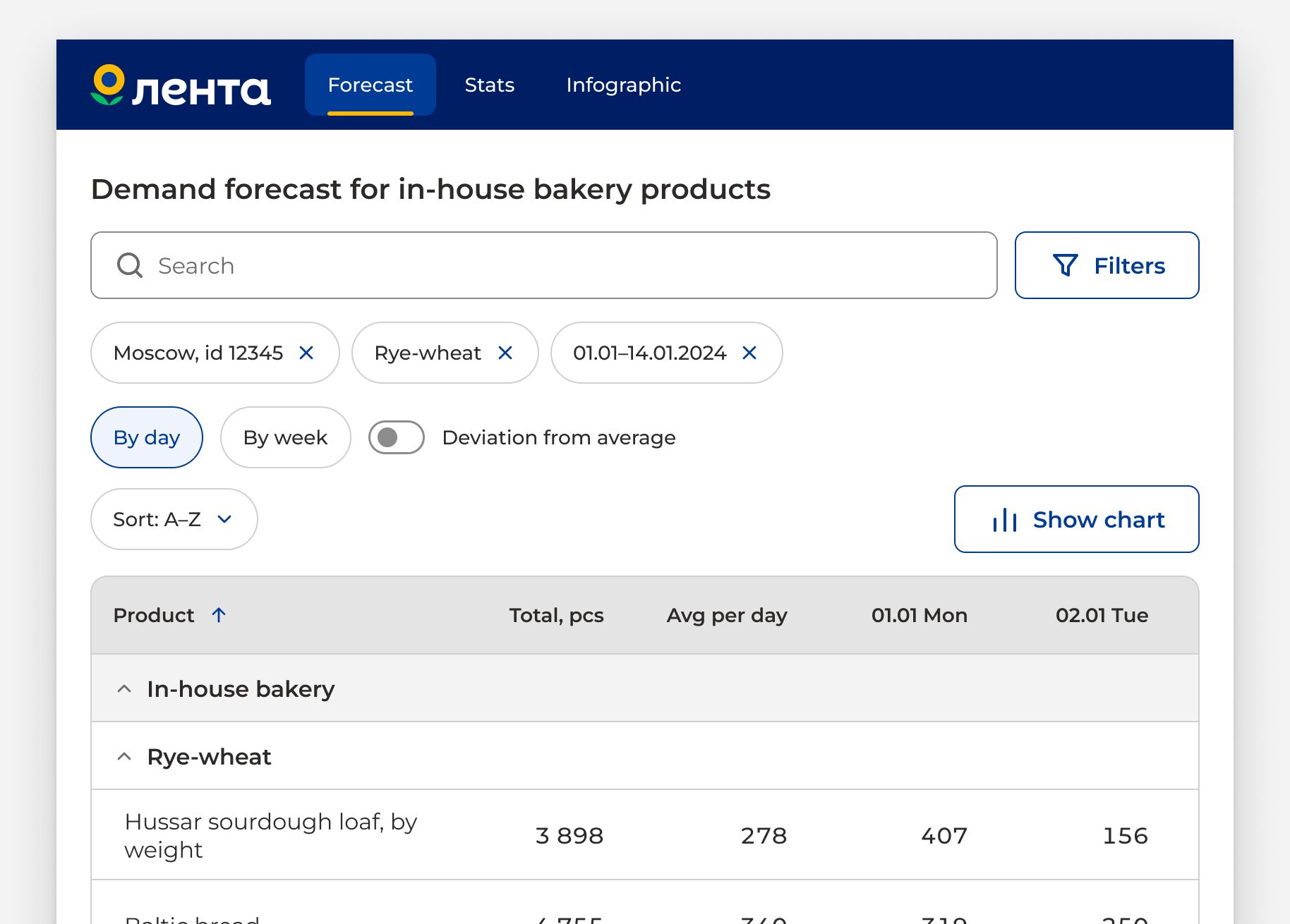
2 desktop sizes and 1 tablet size
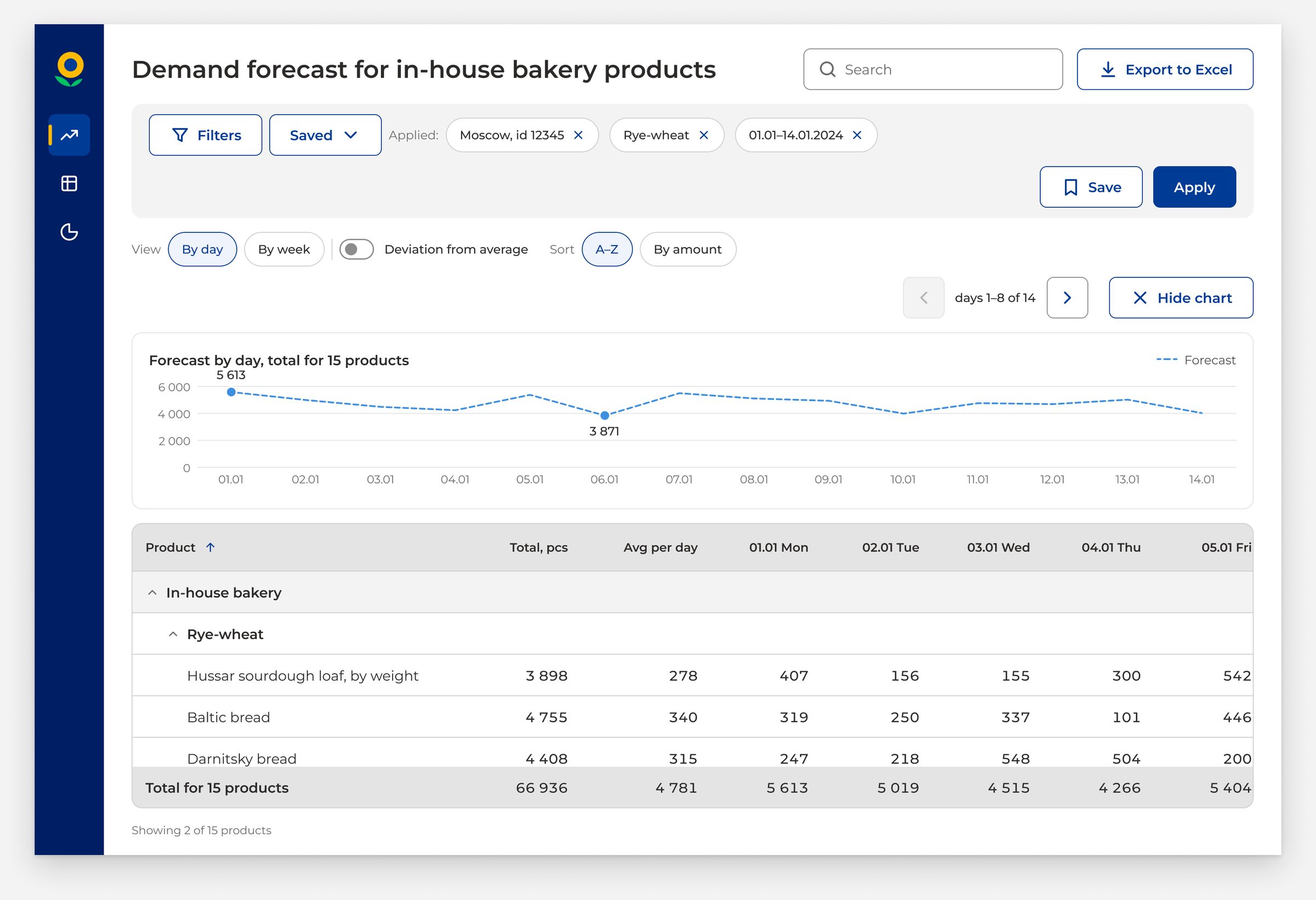
Forecast, sales stats, and the infographic use one design system.
It works from a 1920 desktop to an 834 tablet
-
1920×1080
-
1440×960
-
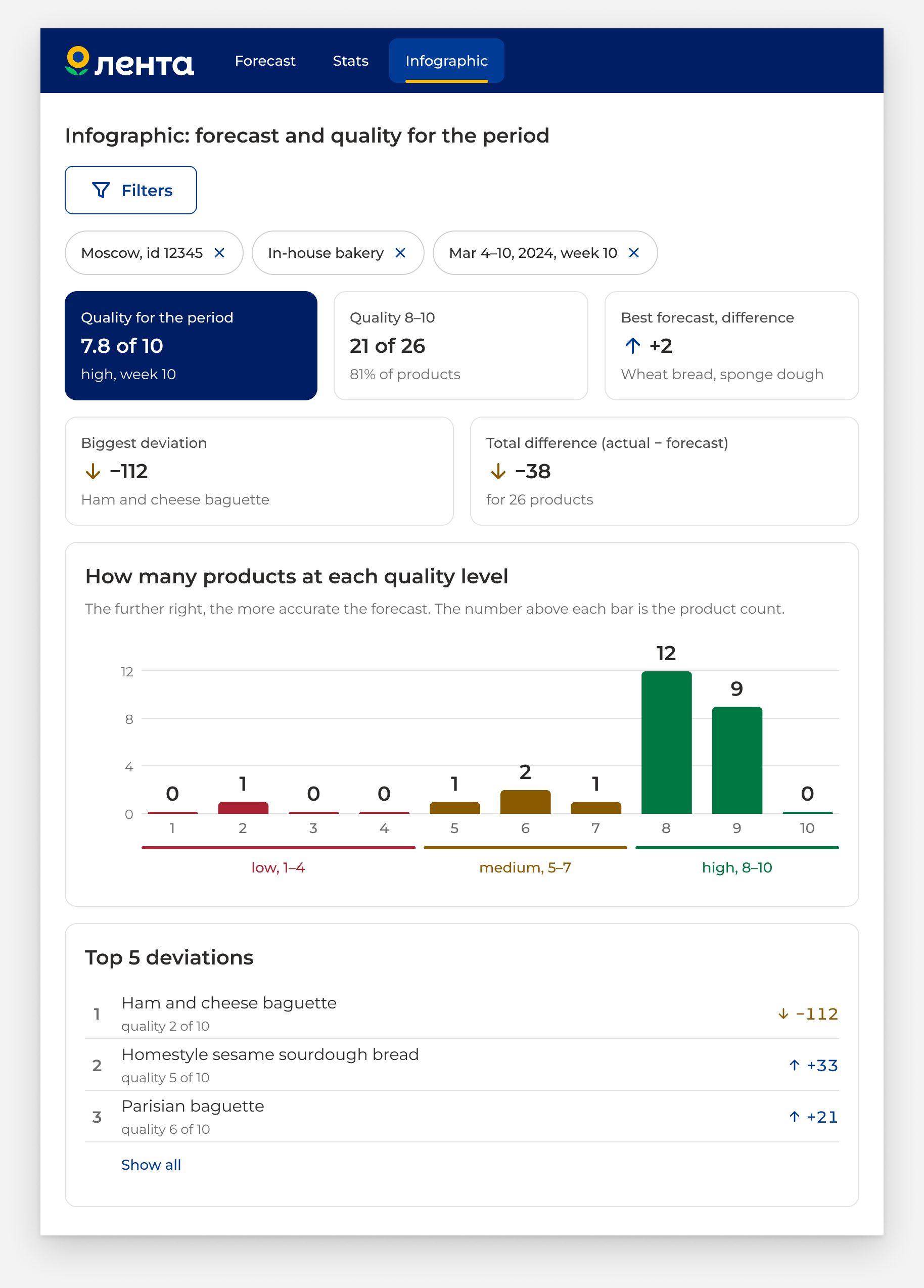
834×1194
-
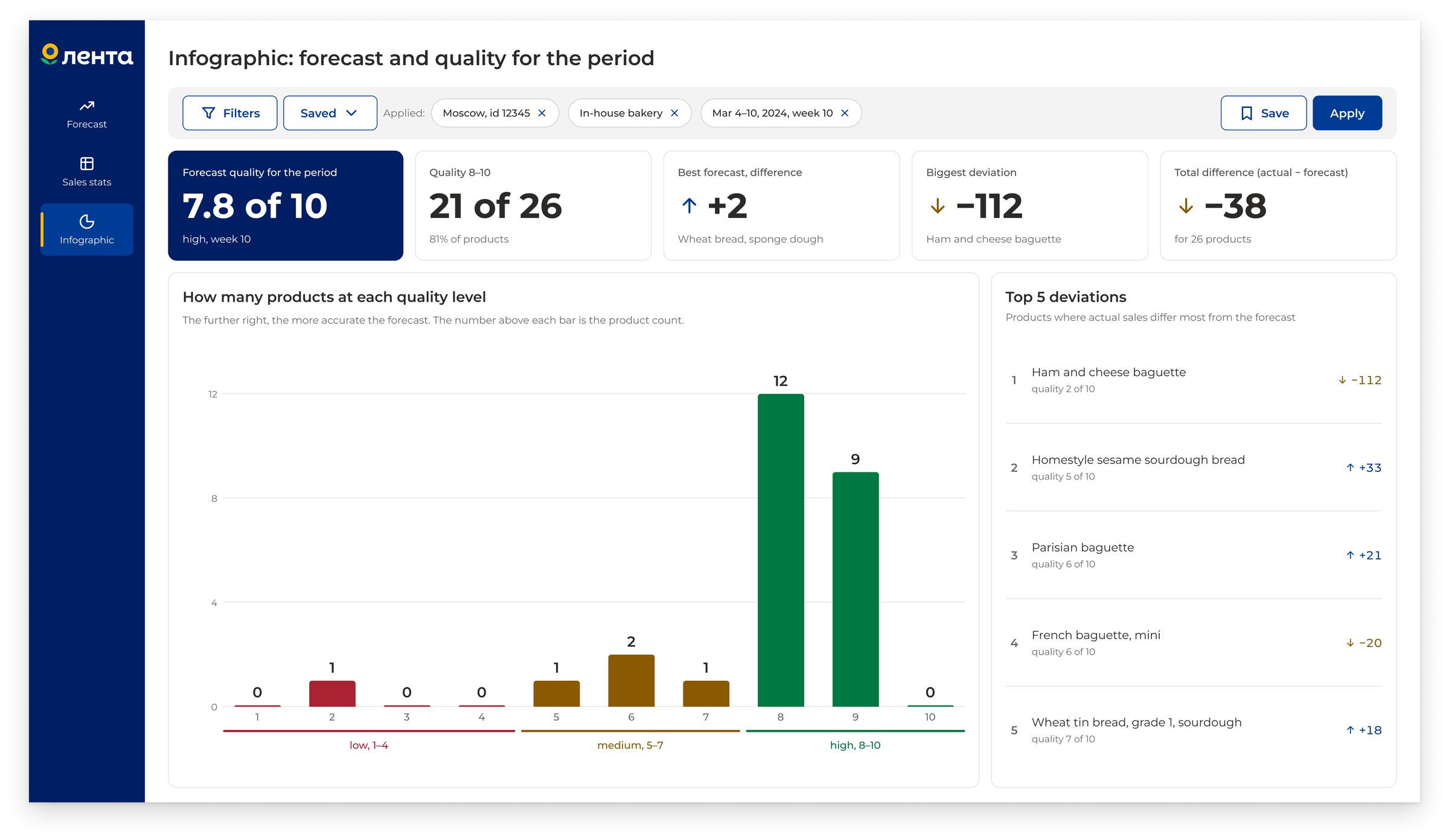
Infographic: five key numbers and the main chart in five seconds
-
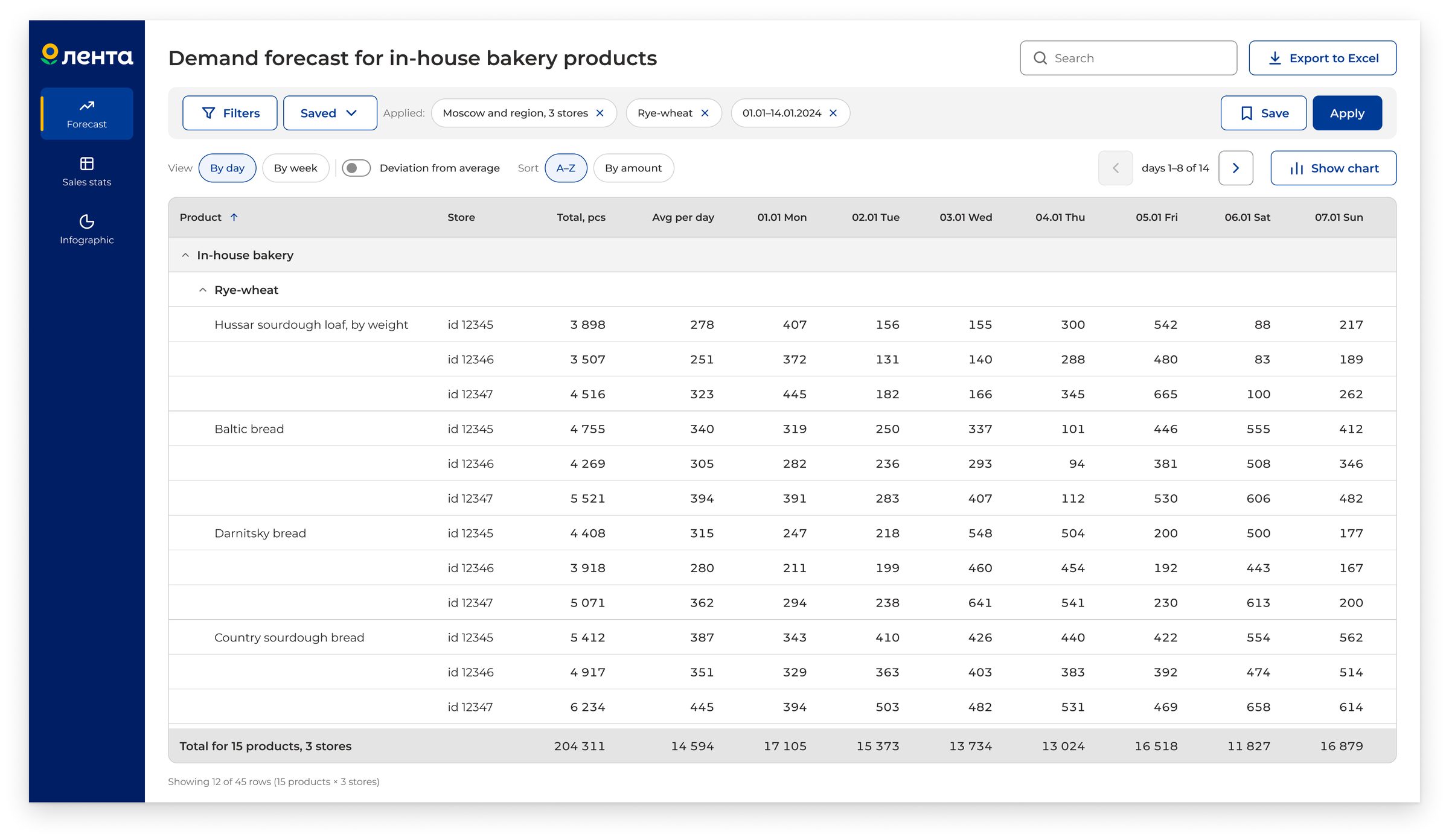
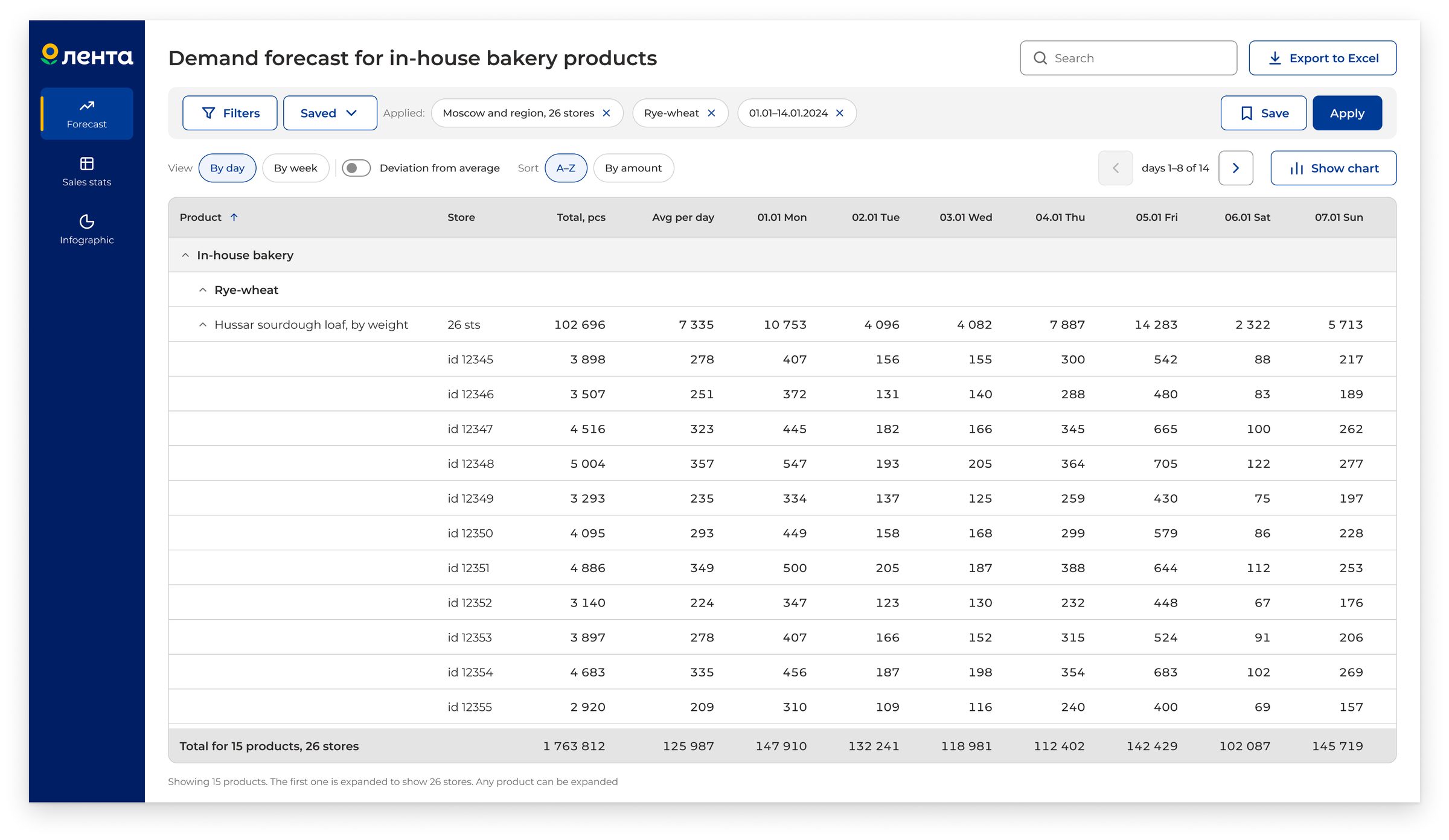
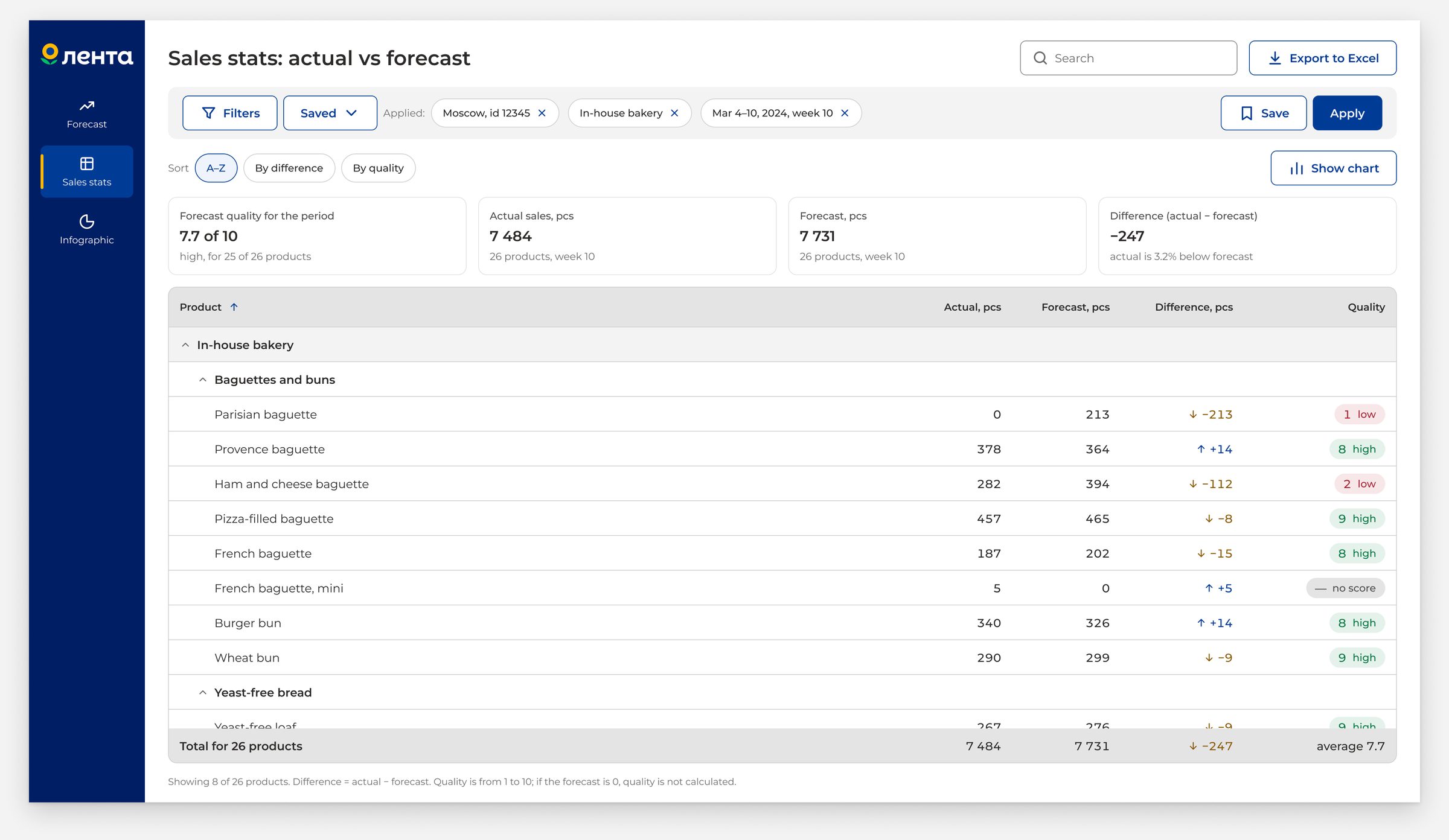
Store comparison: each row is one product-store pair
Task
Help plan production
Every day, a store manager decides how much to bake and how much to order. An analyst compares real sales with the forecast and looks for model errors. One interface for everyone
-
Store manager
Decides how much to bake and order every day. Right now, they rely on experience and yesterday’s leftovers
Pain point: guesses by eye, wastes time
-
Analyst
Compares real sales with the forecast and looks for model errors
Pain point: checks everything by hand in spreadsheets
Limits
Limits of the design
-
ID, no name
A store shows up as an ID, like 12345. There is no store name in the interface
-
Direction only
The gap between real sales and the forecast is a number and a color. The design decides the direction
-
Different detail levels
The forecast is by day. Real sales are by week. The design joins them in one table
-
No formula
The quality score from 1 to 10 is shown as is, with no formula behind it
Process
From benchmarks to handoff
First, research and benchmarks. Then visual style, a design system, screens, and copy. At the end, two rounds of review. Each step built on the one before it, and review sent work back a step when needed. Result: 125 variables and 67 components in the design system, 243 frames in three sizes
- Benchmarks
- Visual style
- Design system
- Screens and copy
- Handoff
Solution
One table instead of 390 rows
15 products times 26 stores makes 390 rows, if every pair gets its own row.
I did it another way. Each row is one product: the total across all stores. Click a row to see each store. No number gets lost
- 390 rows, if every pair gets its own row
- 26 stores open with one click
Solution
Color should not confuse
A forecast miss is bad both ways: too little stock or too much waste. Red and green read as ‘bad’ and ‘good’
Before
 above forecast
 below forecast
After
 above forecast
 below forecast
Solution
Top 5 deviations, not all 26
The infographic could list all 26 stores. Instead, it shows only five:
the ones with the biggest gap from the forecast. The design already points to where the problem is
- 26 stores in total
- 5 shown as the most notable
Solution
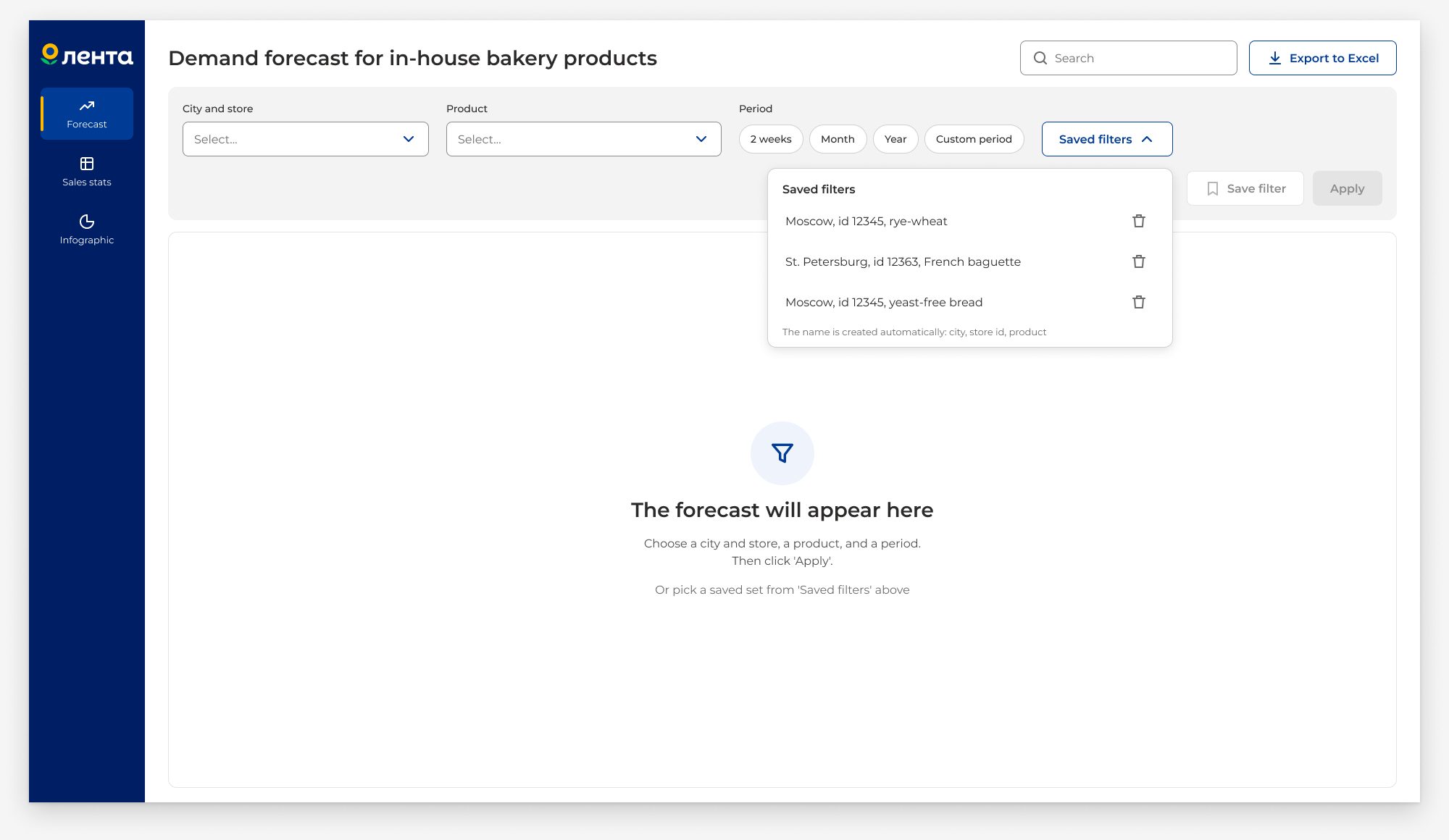
The design names the filter
Saving a filter usually means typing a name for it. Here the name builds itself: city, store, and product. All that’s left is to click ‘Save’
- 3 parts in the name: city, store, product
Review
Two rounds of review
-
Round 1
The filter panel collapses after ‘Apply’
The chart on 1440 moved down. The table got more room
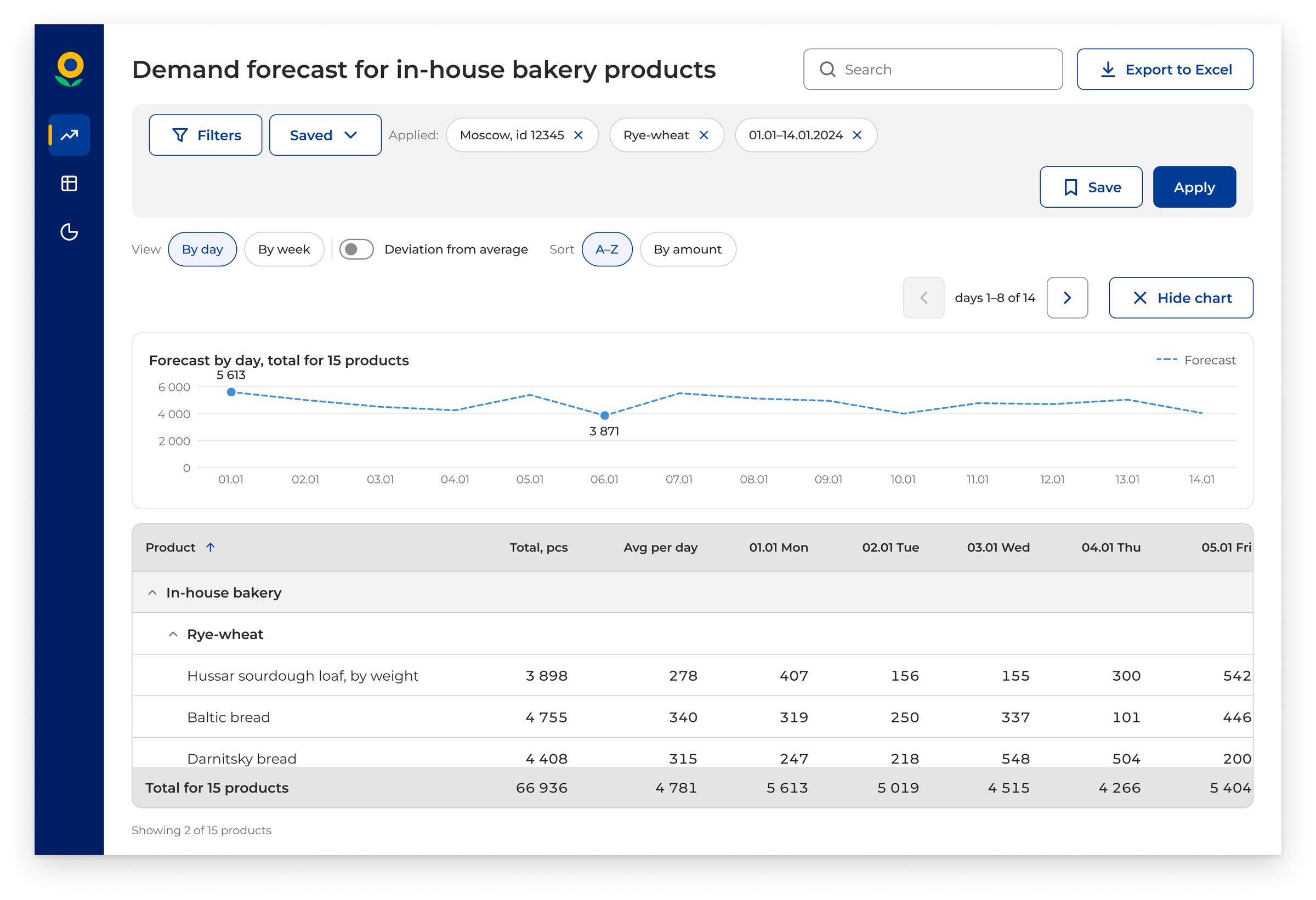
The ‘Forecast’ chart at 1440
Open. At 1440, with the chart open, the table shows only 1–2 rows.
A fix is coming -
Round 2
‘Accurate forecasts’ renamed to ‘Quality 8–10’
‘Top 5’ collapses on tablet. The chart gets more room
The infographic at tablet 834
Fixed. On tablet, ‘Top 5’ now collapses to three rows with a ‘Show all’ link. The chart got more room
States
States and edge cases
44 state frames, 6 of them critical: what the user sees when something goes wrong
-
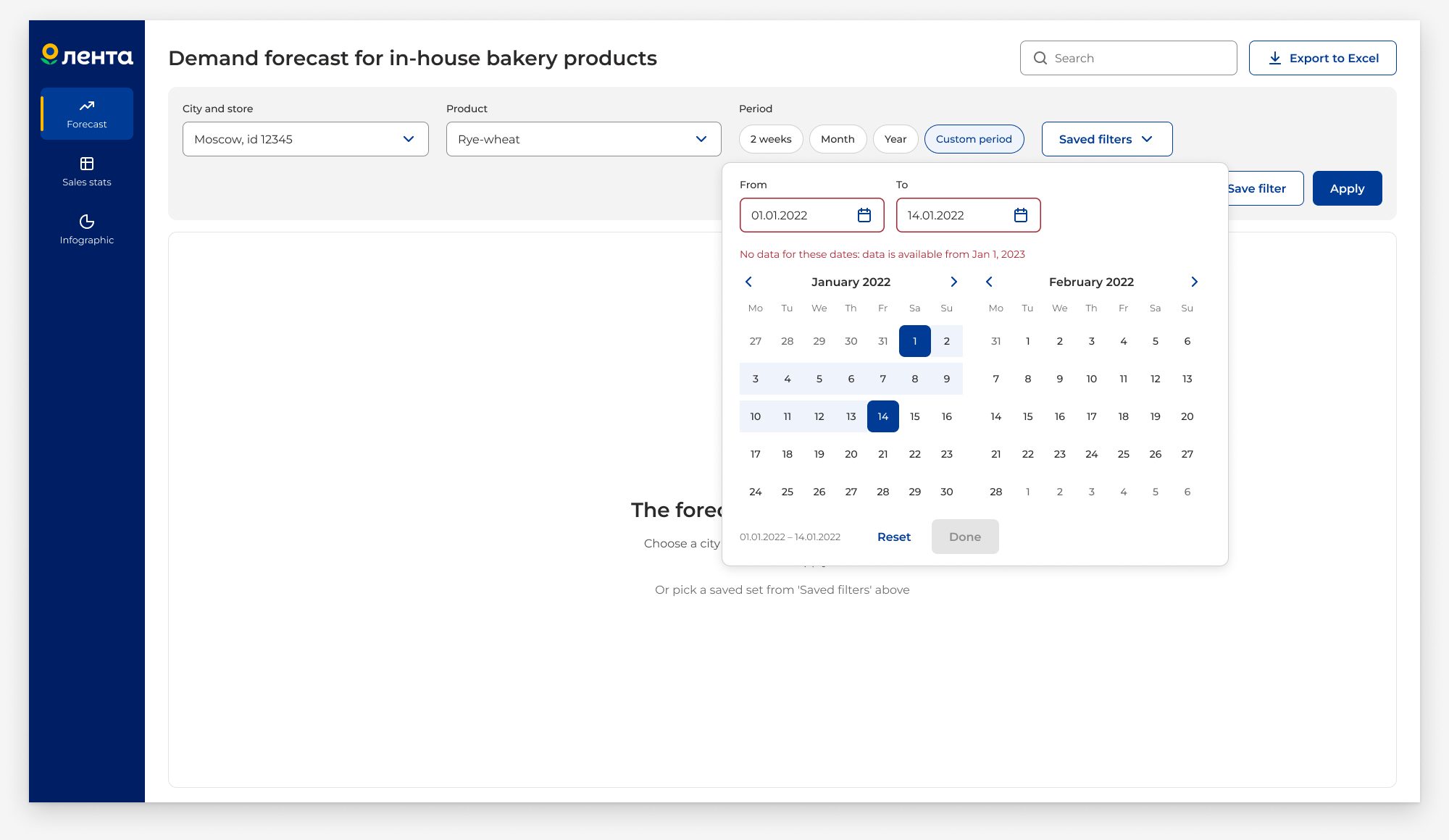
Custom period
Dates with no data
The calendar shows: ‘No data for these dates. Data starts from Jan 1, 2023.’ The ‘Done’ button is disabled
-
Zero values
Real sales or forecast: zero
If the forecast is zero or real sales are zero, the quality score is not calculated. Instead, it shows
‘— no score’ -
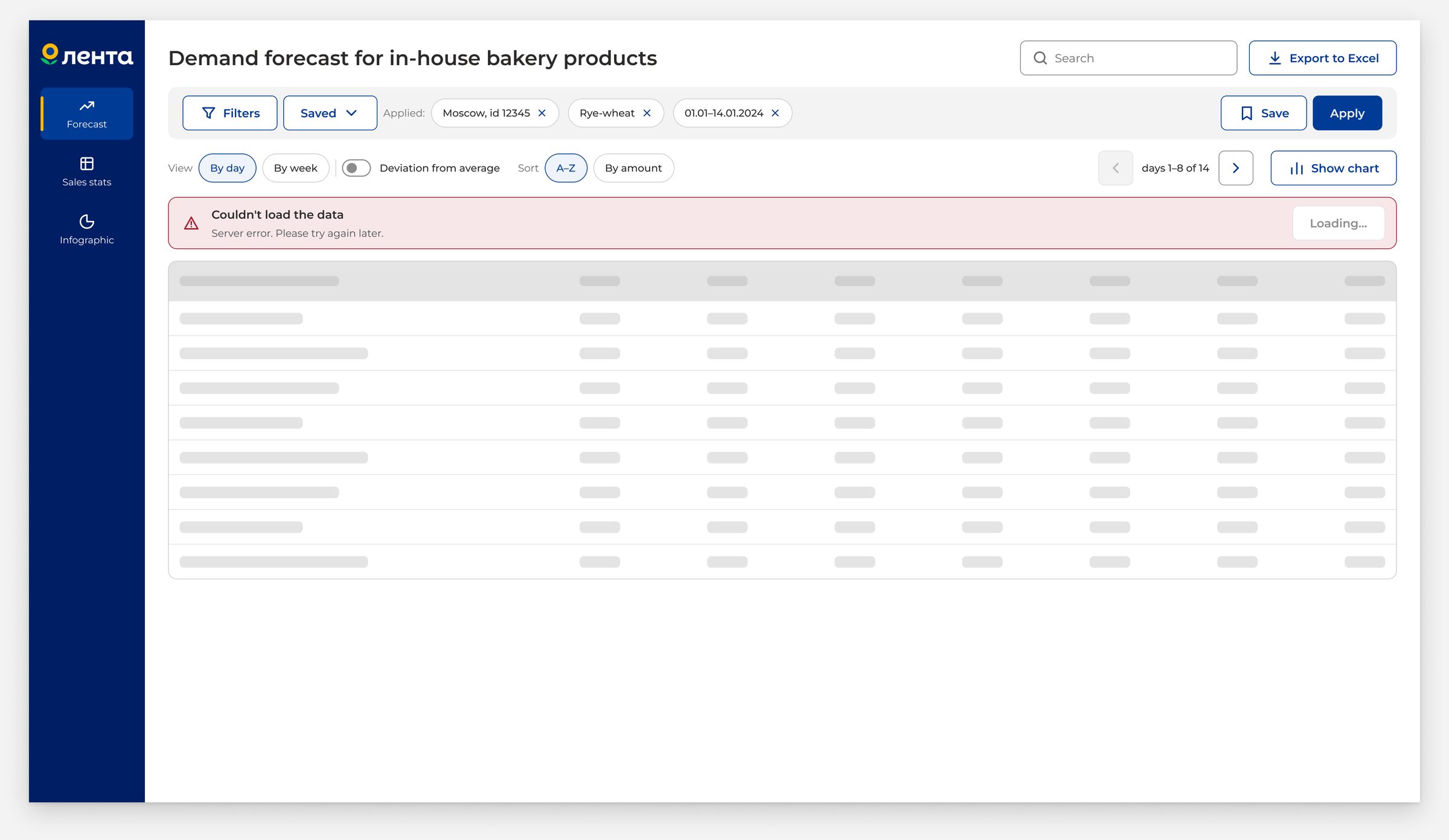
Server error
Retry after a failure
The ‘Loading…’ button is disabled while the retry runs. This stops a double click
Handoff
What goes to developers
- 24 outline icon assets
- 10 open questions
 Components, variables, and styles are named just like in Figma
- The chart is not a component. It’s a spec: axes, colors, number of series
- The quality score formula is unknown. This is an open question
Top 3 questions:
- Full list of stores and cities
- Does the data have a ‘kg’ unit for items sold by weight?
- Formula and threshold for ‘Deviation from average’
Next
A usability test with real store managers and analysts
Next, this needs testing with real people. There are also open questions: the quality score formula, linking store ID to store name, and the step size for the 1440 chart
 A usability test with real store managers and analysts
- Confirm the quality formula and id → store name link
- Finish the chart on 1440
Goal: less waste, fewer lost sales