Case study · Product design
Tabrara iOS
The Tabrara seller app was only on Android. I brought it to iPhone and followed the iOS guidelines
I worked alone, from requirements to handoff


Task
Bring the seller app to iPhone with the same features as on Android
Solution
iOS navigation, components and gestures, Sign in with Apple, App Store subscription and account deletion
Result
52 screens in two themes, a design system and specs for developers
44
Android features moved to iOS
15
decisions, each with a reason
69
fixes after review, out of 80 issues
8
seller apps studied
52
screens in five sections
Why iPhone
In Tabrara, sellers run an online shop from their phone: catalog, orders, reports and team. The app was only on Android, so sellers with an iPhone could not use it. The service grows when sellers recommend it to each other, and every seller with an iPhone dropped out of this chain
Stays as on Android
- All seller features
- Colors, illustrations and screen content
- Data and server
Changes for iOS
- HIG navigation and gestures
- System components in the Liquid Glass style
- SF Symbols icons and the SF Pro font
Required to pass App Review
- Sign in with Apple
- Subscription through Apple in‑app purchase
- Account deletion in the app
Out of scope: the customer storefront on the web, iPad and new features from the growth strategy
How I worked
After each review, the work goes back to where I found the problem: the design system, screens, UX copy or states
Research
- Requirements
- Audience and data
- Similar apps
Result
Brief and questions for the team
UX design
- User flows
- Navigation
- Screen map
Result
15 user flows, 52 screens
Visual design
- Design system
- Screens
- UX copy
- States
Result
598 frames in two themes
Review and handoff
- Section reviews
- Specs
Result
6 documents
What I studied
Before the screens, I studied the Android app, other seller apps and Apple’s requirements
Android mockups
All five sections of the latest version. Where there were several options, for example the product list and onboarding, I chose one and wrote down the reason
8 seller apps
Ecwid, Shopify, Ozon Seller, Etsy Seller, Square and others. None of them has an action button in the order row. Sellers change the status on the order screen
Apple and iOS 26
How Liquid Glass changes navigation and which App Review rules affect the screens: sign-in, subscription and account deletion
Key finding
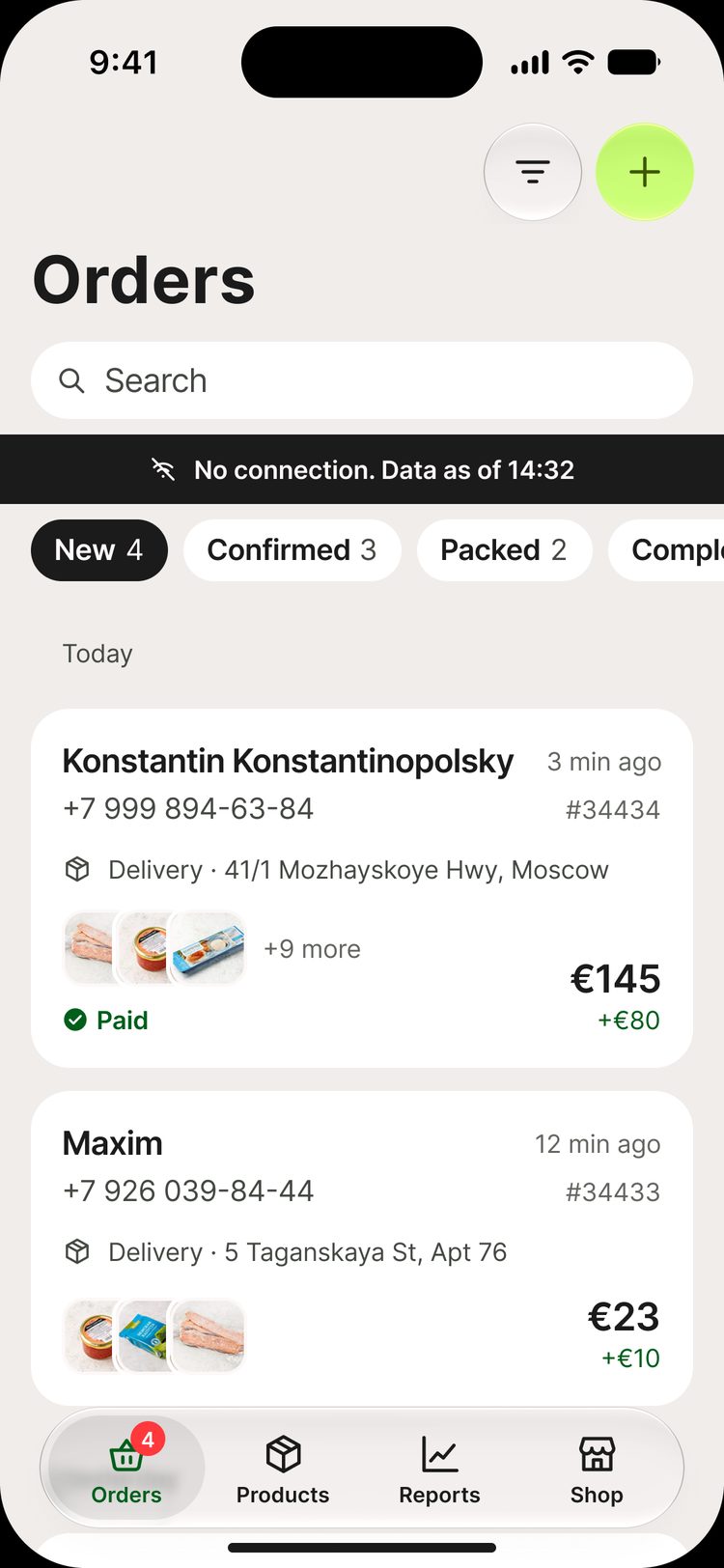
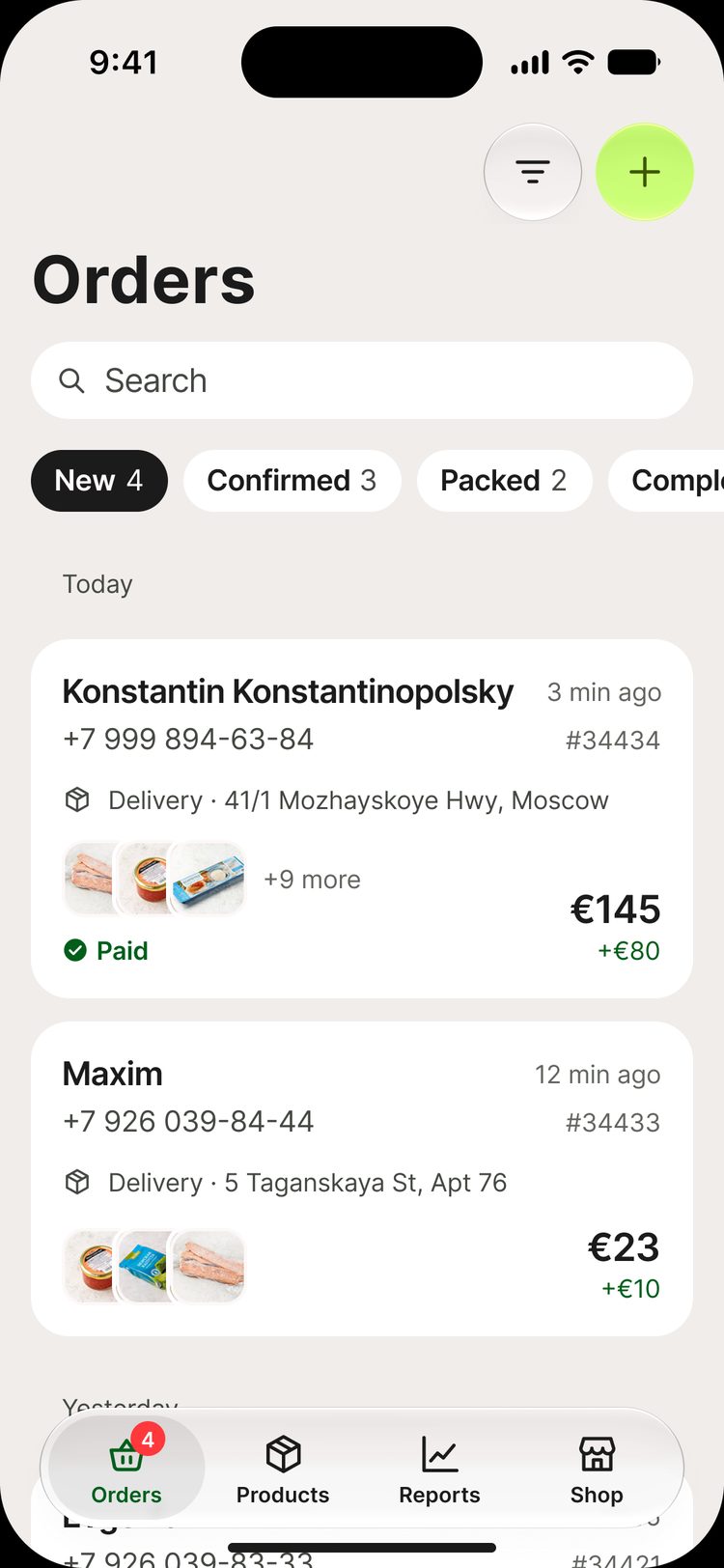
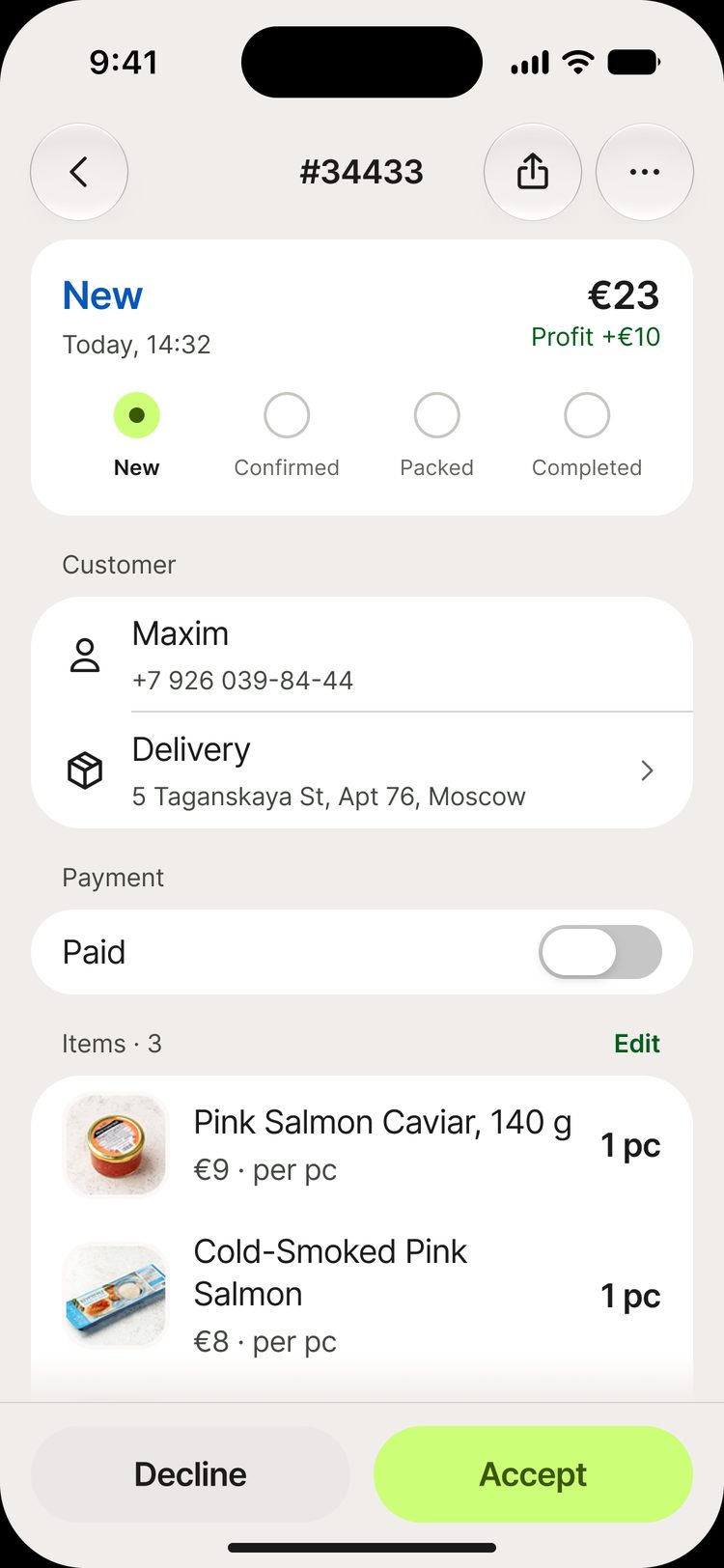
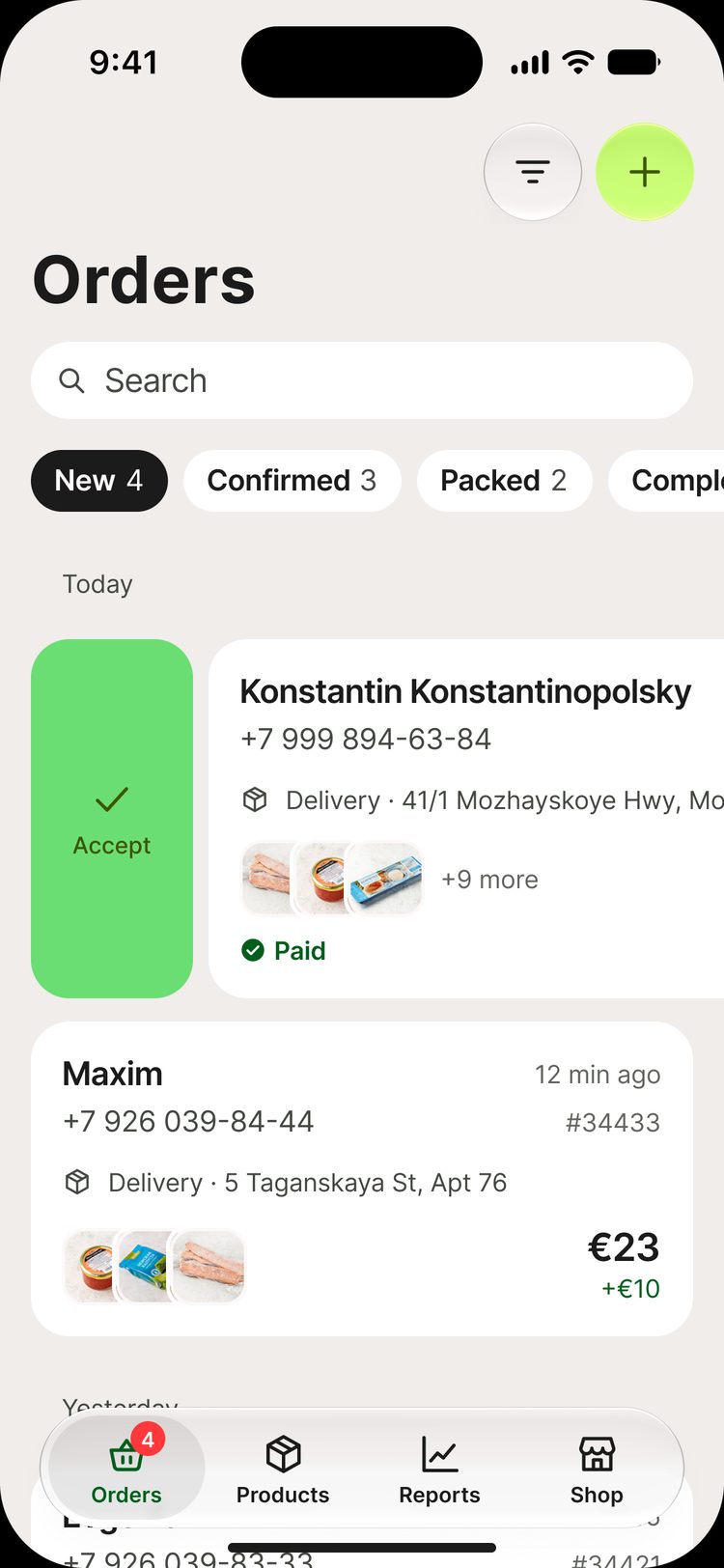
Phone and address on the order card
None of the 8 apps shows them in the order list. In a poll of Tabrara sellers, phone, name and address were chosen most often. So on the iOS card they come first, and the order number and time are less visible
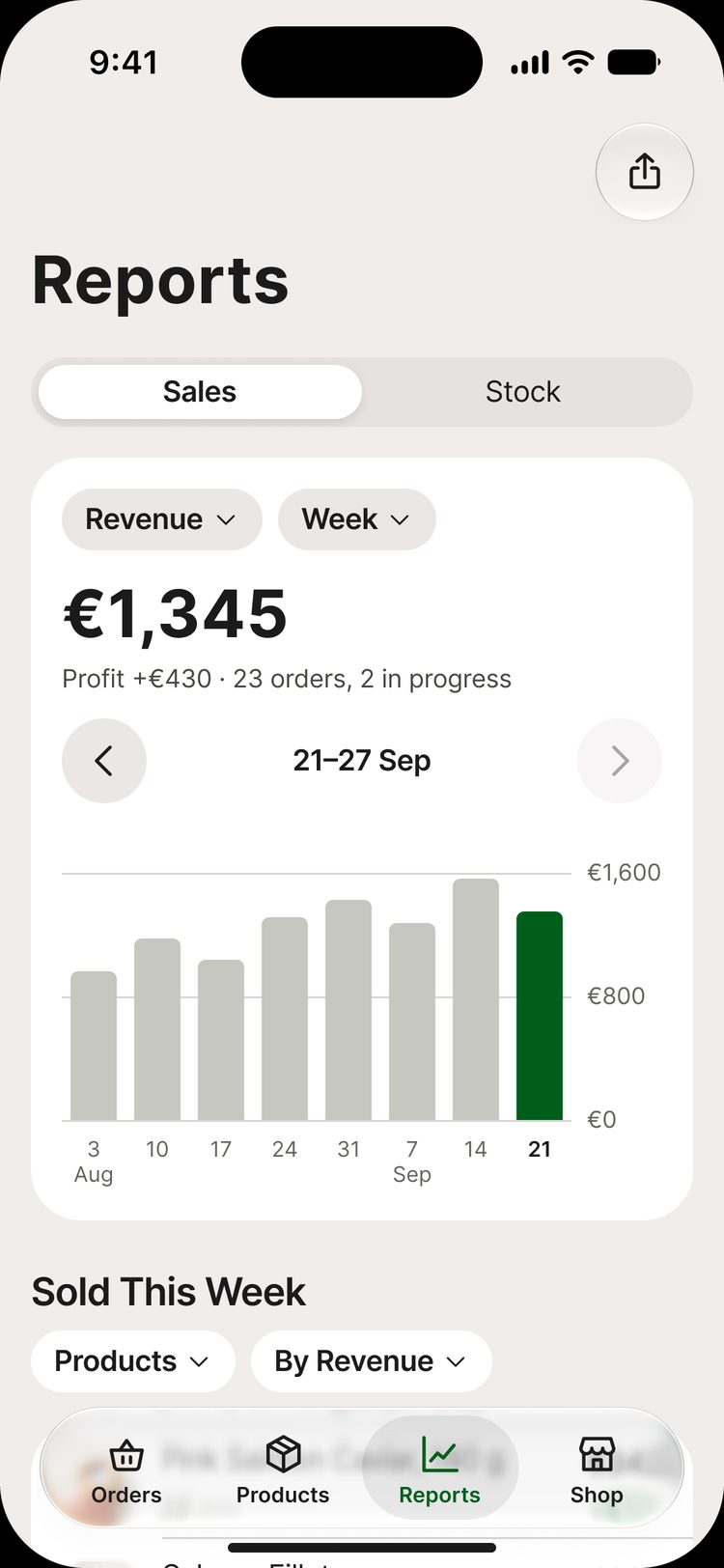
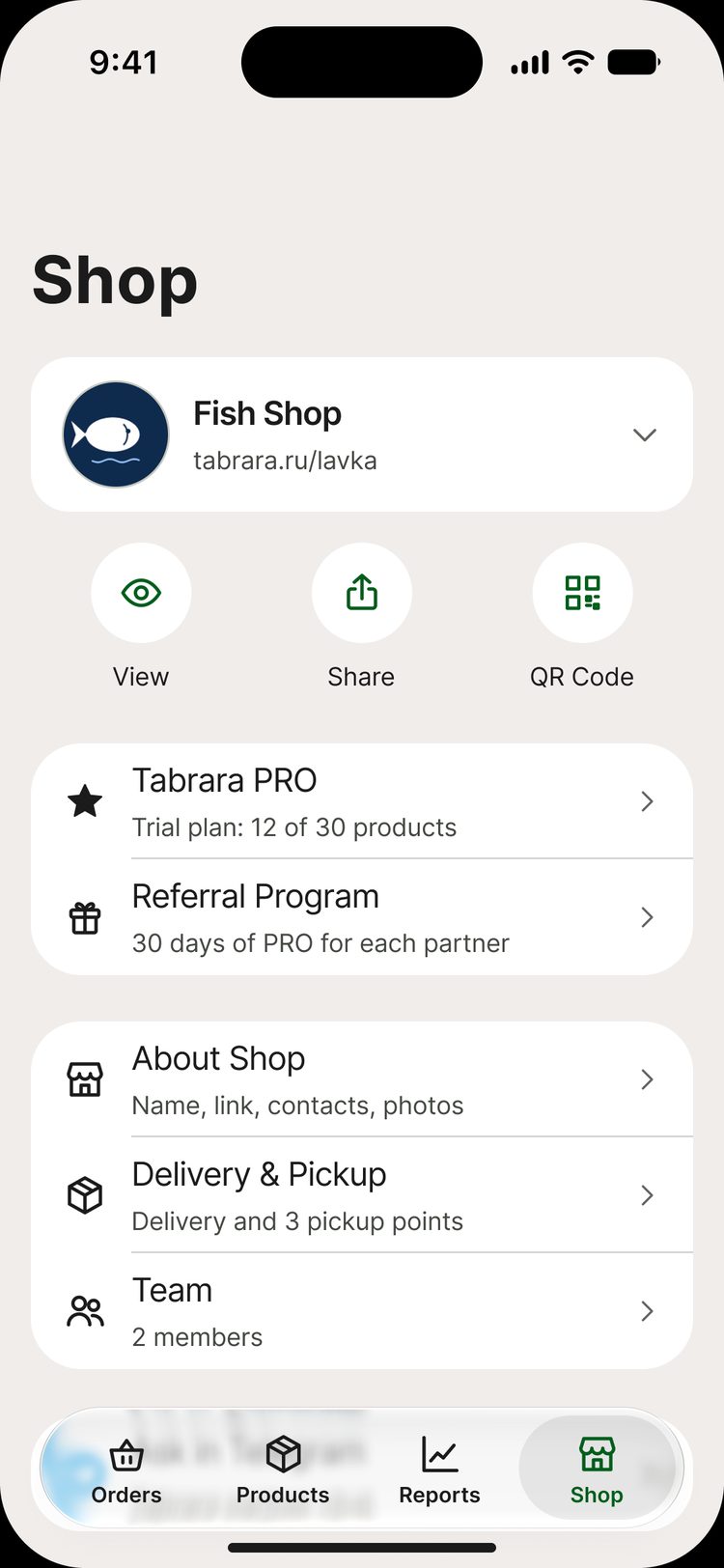
Orders, products, reports and shop
Orders come first because sellers work with them every day. In the order and product lists, the tab bar gets smaller when you scroll
Orders
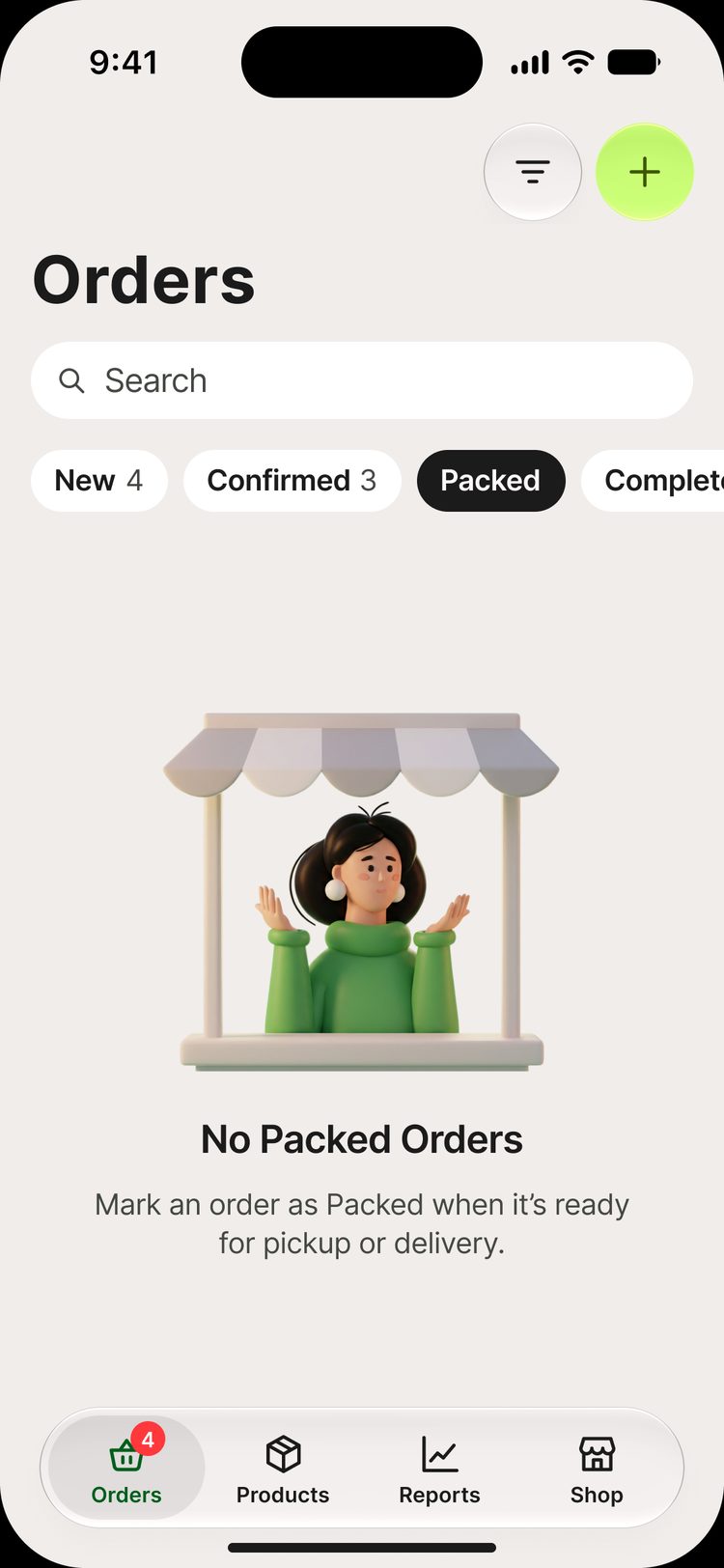
Status chips with counters show what needs attention
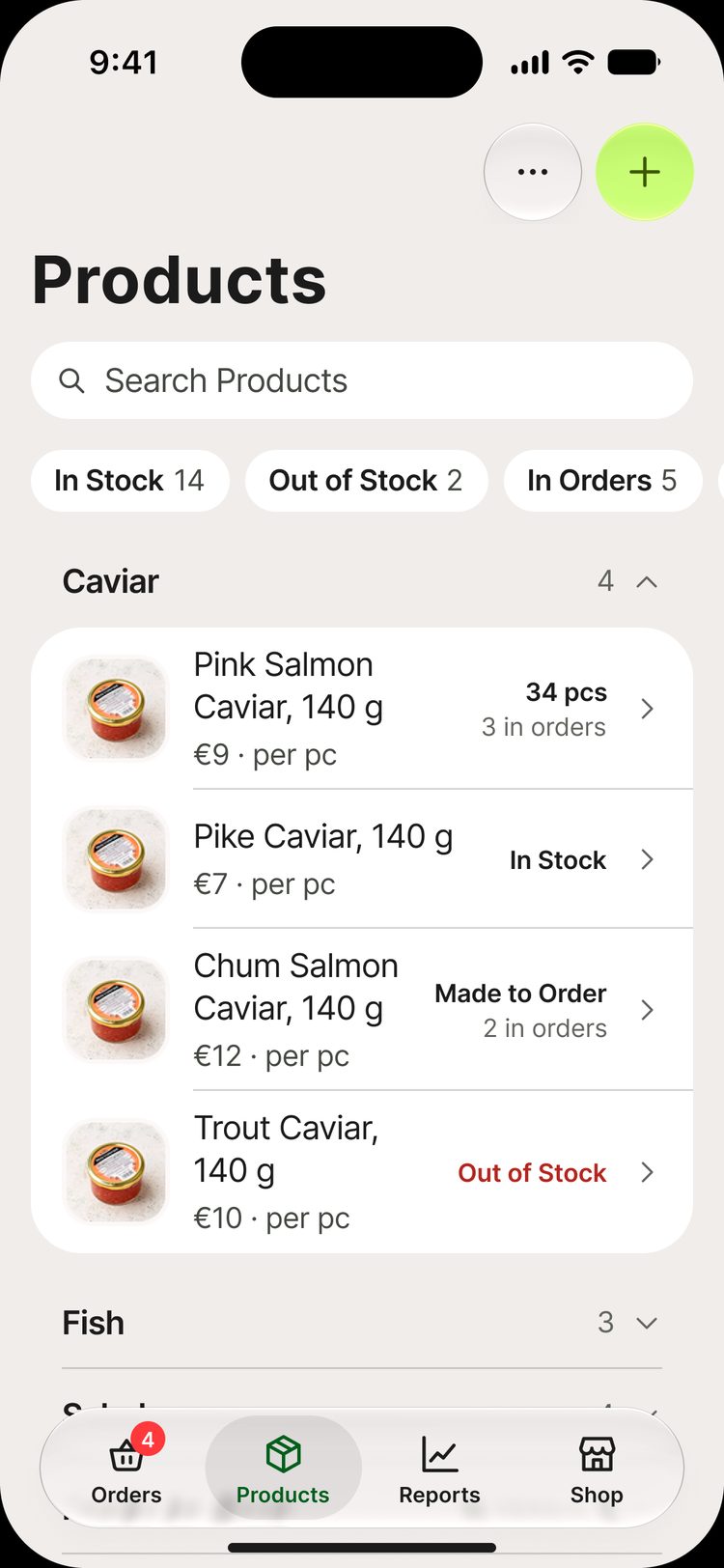
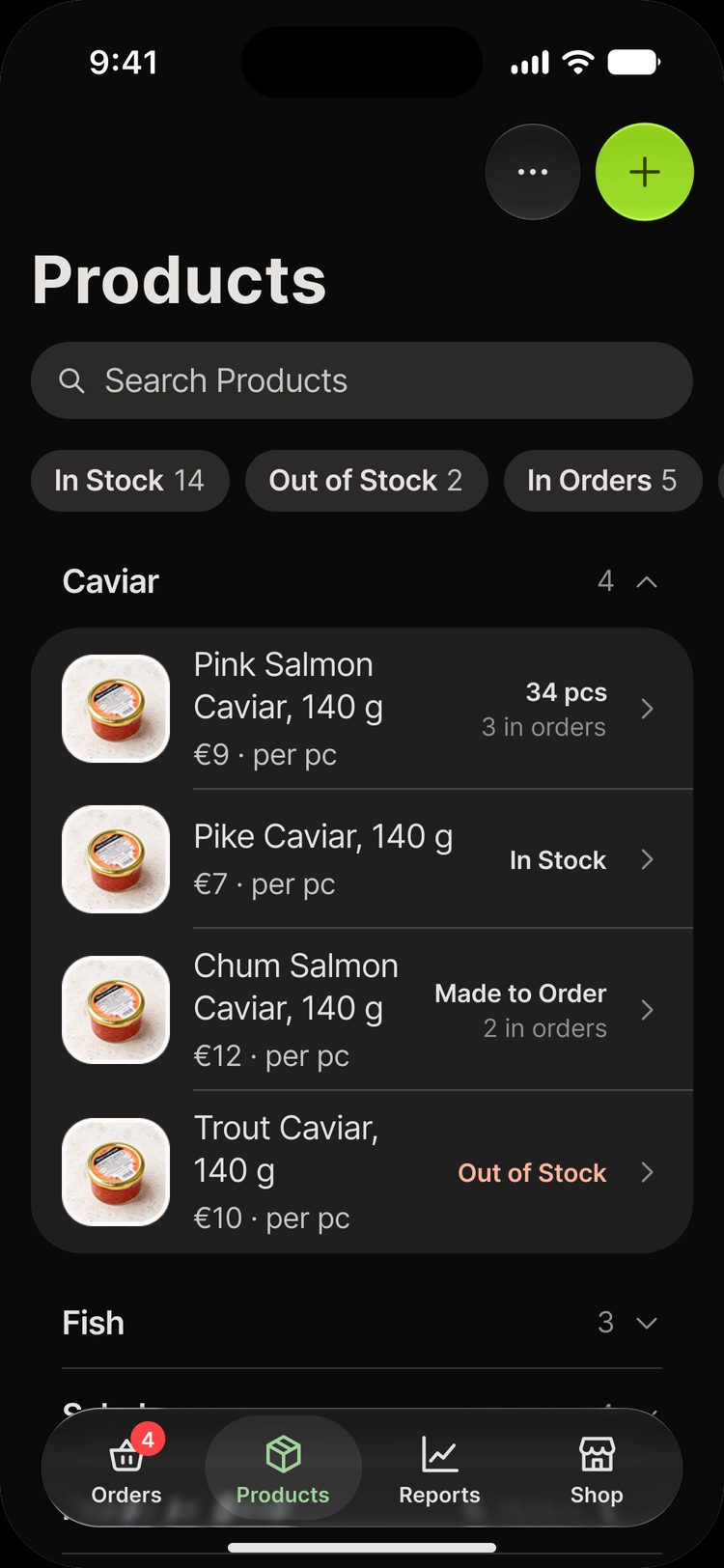
Products
One list with categories that collapse. Search and filters at the top
Reports
Revenue, profit and number of orders for a period
Shop
Settings in a list, as in iOS. Destructive actions at the bottom
Decision 1
What changed on iOS
The features are the same as on Android. The way to reach them follows iOS. I wrote down the reason for each difference
| Android | iOS |
|---|---|
| Floating “+” button | “+” button in the navigation bar |
| “⋮” menu on a row | Swipes and a context menu |
| Custom share sheet | System share sheet |
| “Sign Out” and “Delete” in the “⋮” menu | At the bottom of settings, where iOS users look for them |
| Material dialogs | Alerts, sheets and action sheets |
| Roboto and Material Symbols | SF Pro and SF Symbols |
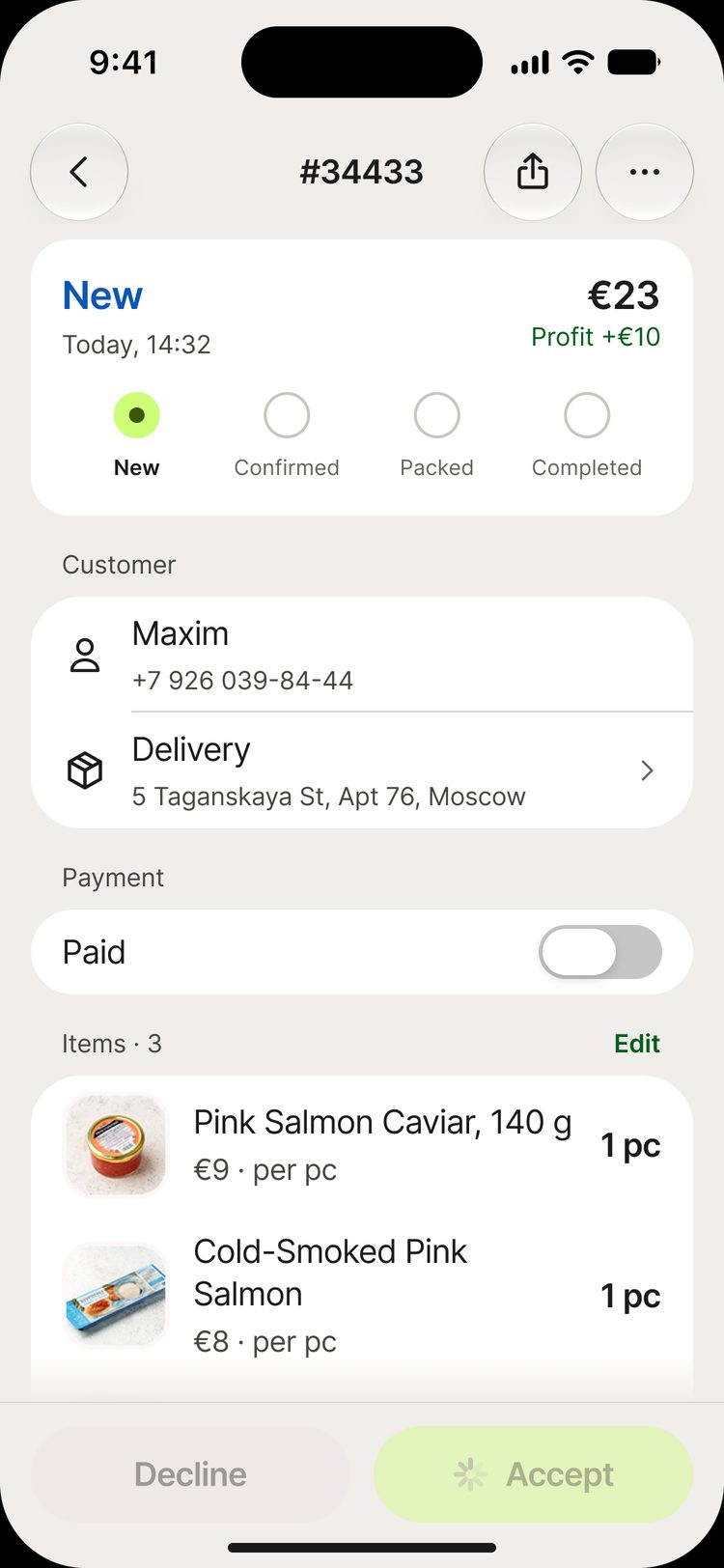
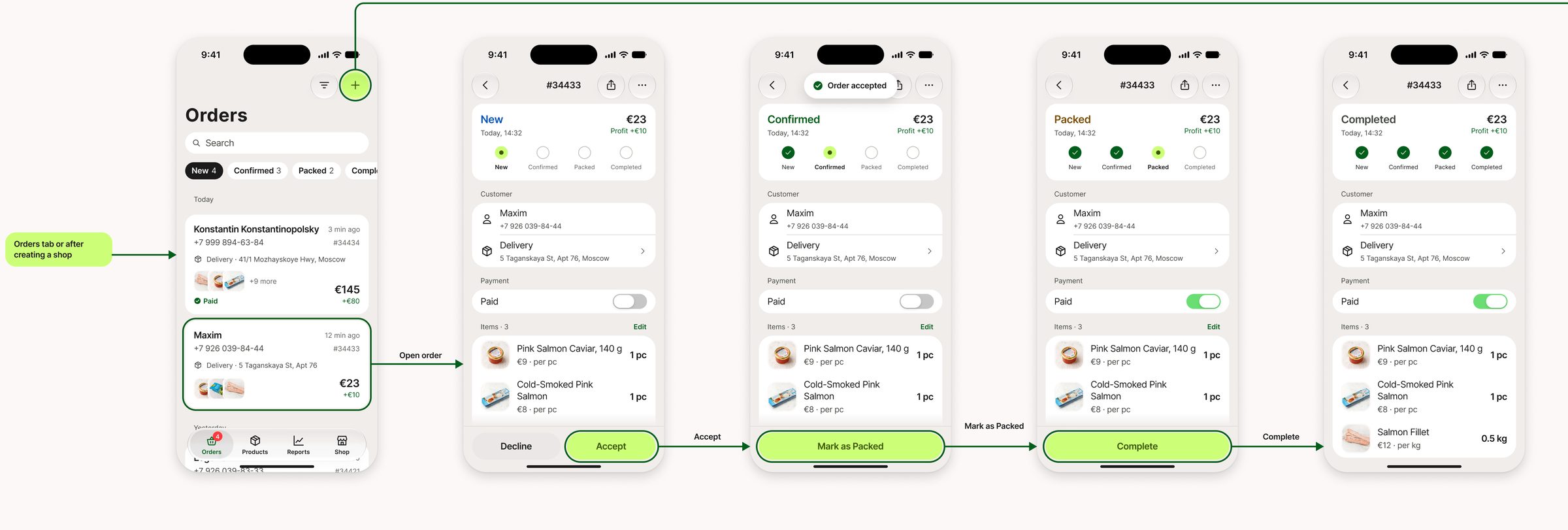
Actions at the bottom
Main order buttons are within thumb reach
Swipe
Accept a new order with one swipe
Decision 2
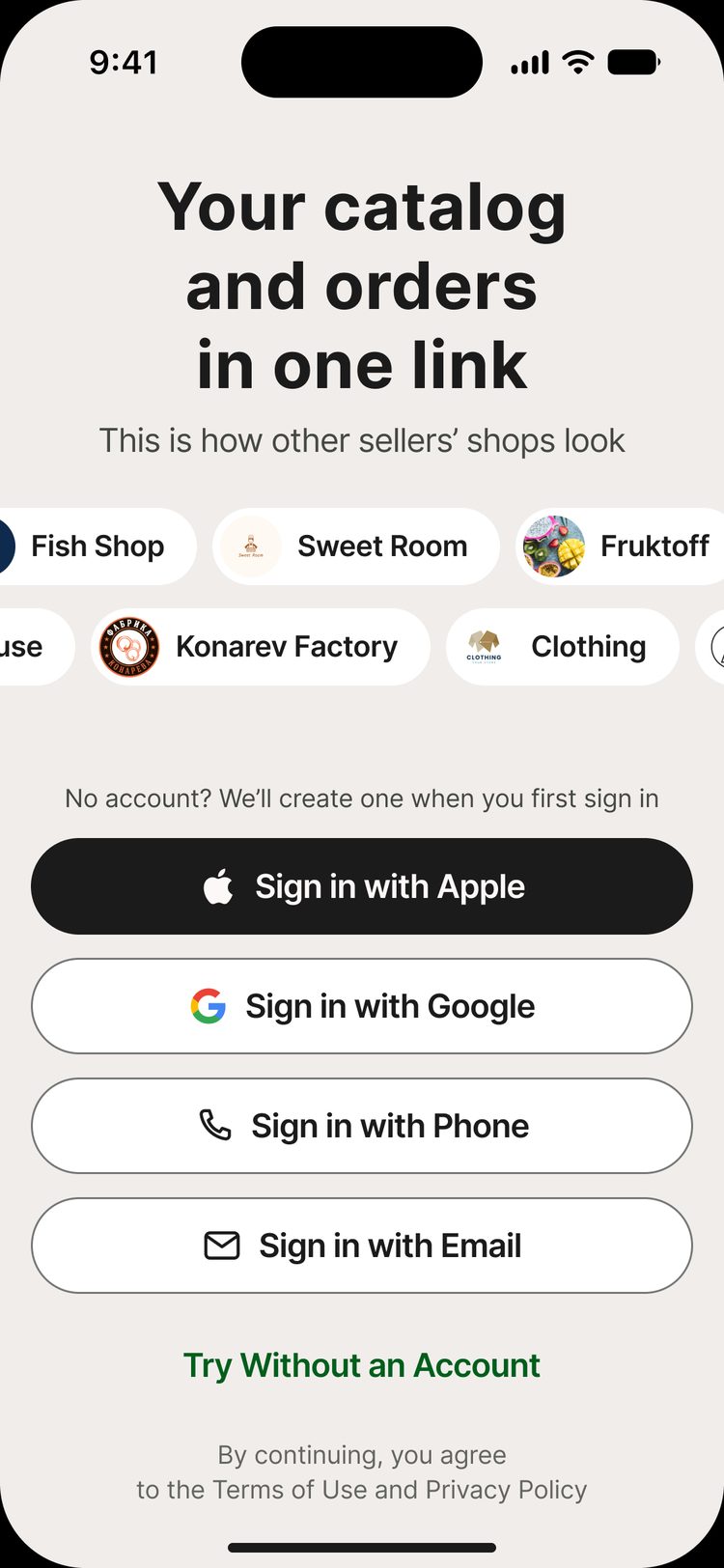
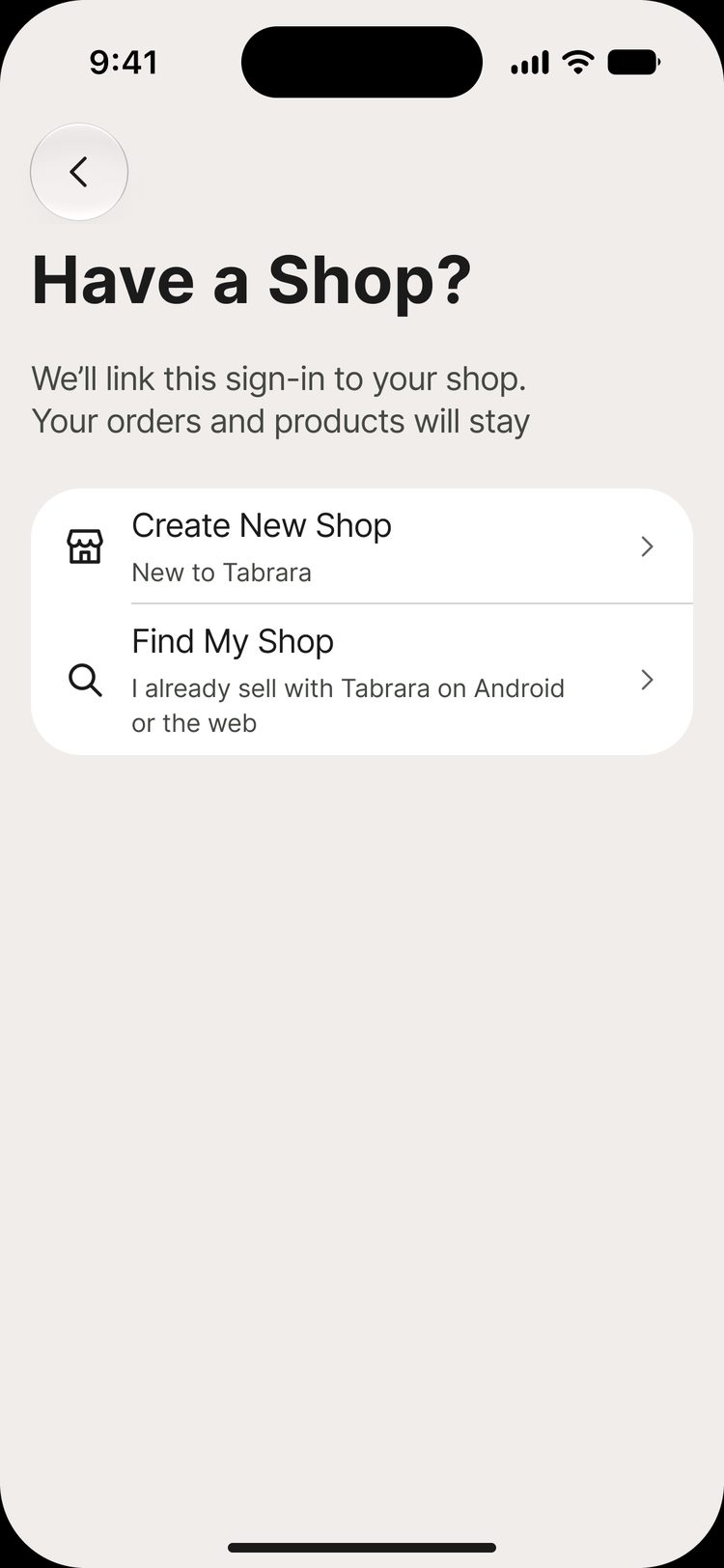
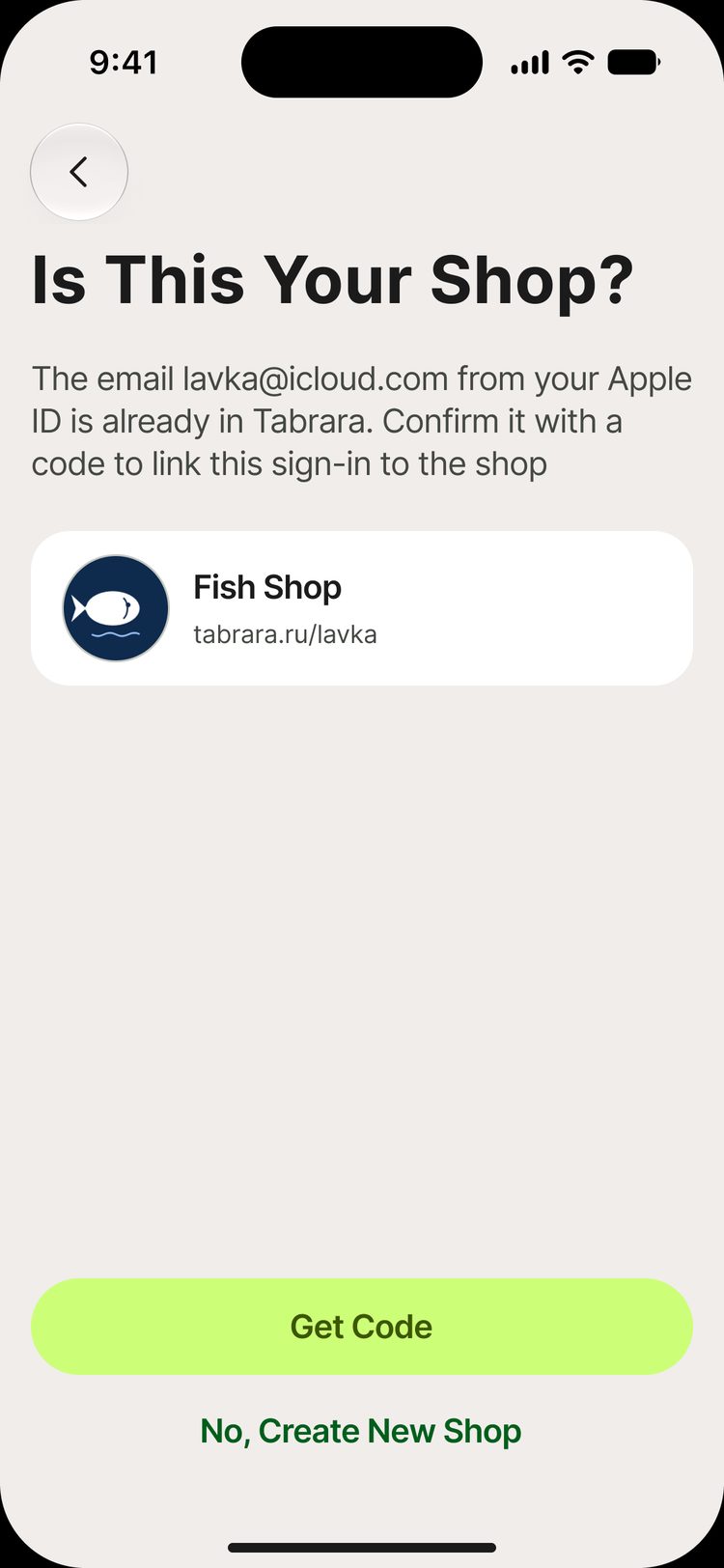
How an Android seller finds their shop on iPhone
On Android, sellers signed in with a phone number. On iPhone, the first button is “Sign in with Apple”. Without linked sign-in methods, a seller would get an empty account and think the orders were lost
Sign-in
Apple, Google, phone or email
Find your shop
A new account is first asked to find an existing shop
Email match
The app finds the shop and asks for a code from an email
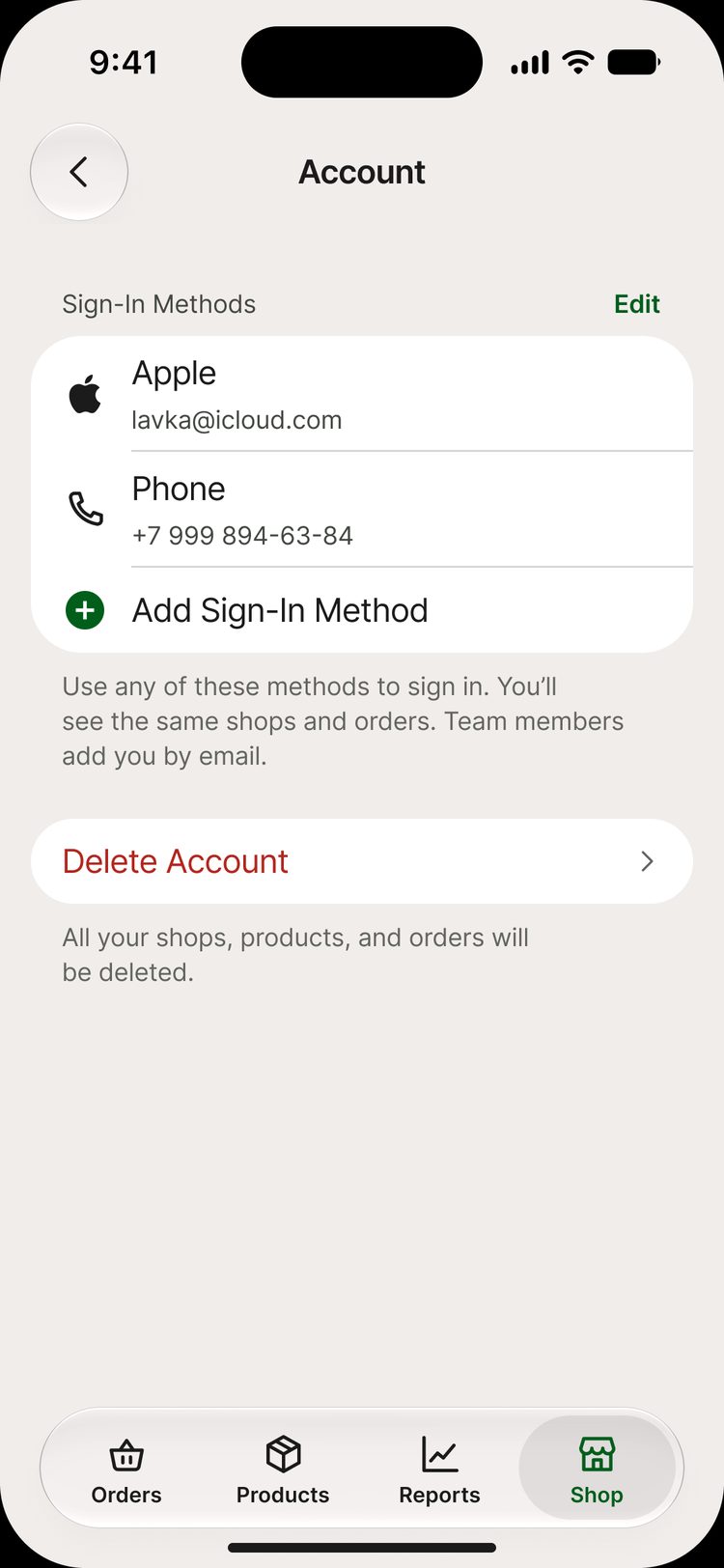
One account
All sign-in methods in one list. You can add more
Decision 3
Weight to the gram
A seller wrote to support that two decimal places were not enough. With expensive products, every small underweight costs money
“Add one more digit for grams for products sold by weight. You have two digits after the decimal point, but we need three. When a product is quite expensive, constant underweight adds up to a real loss”
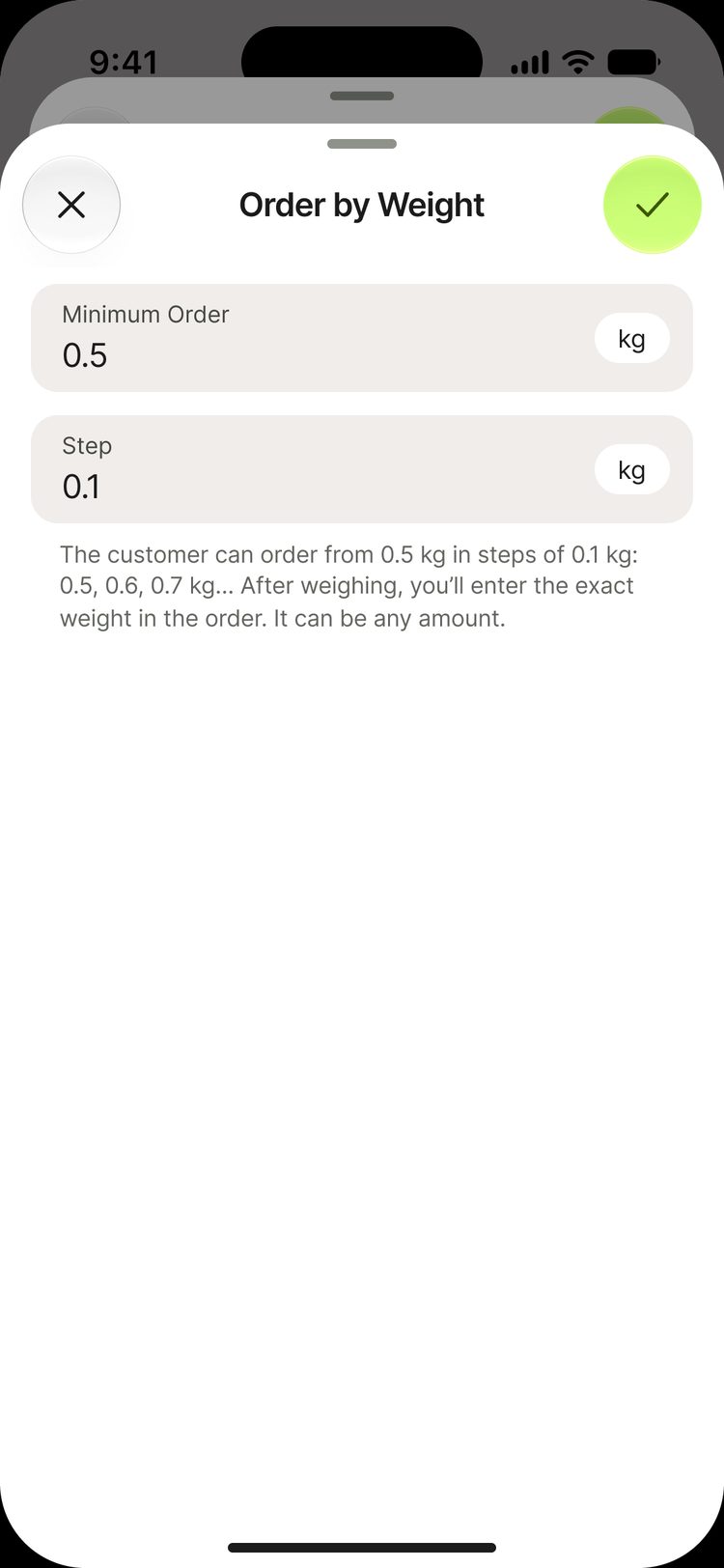
Minimum and step
The seller sets the minimum order and the step for customers
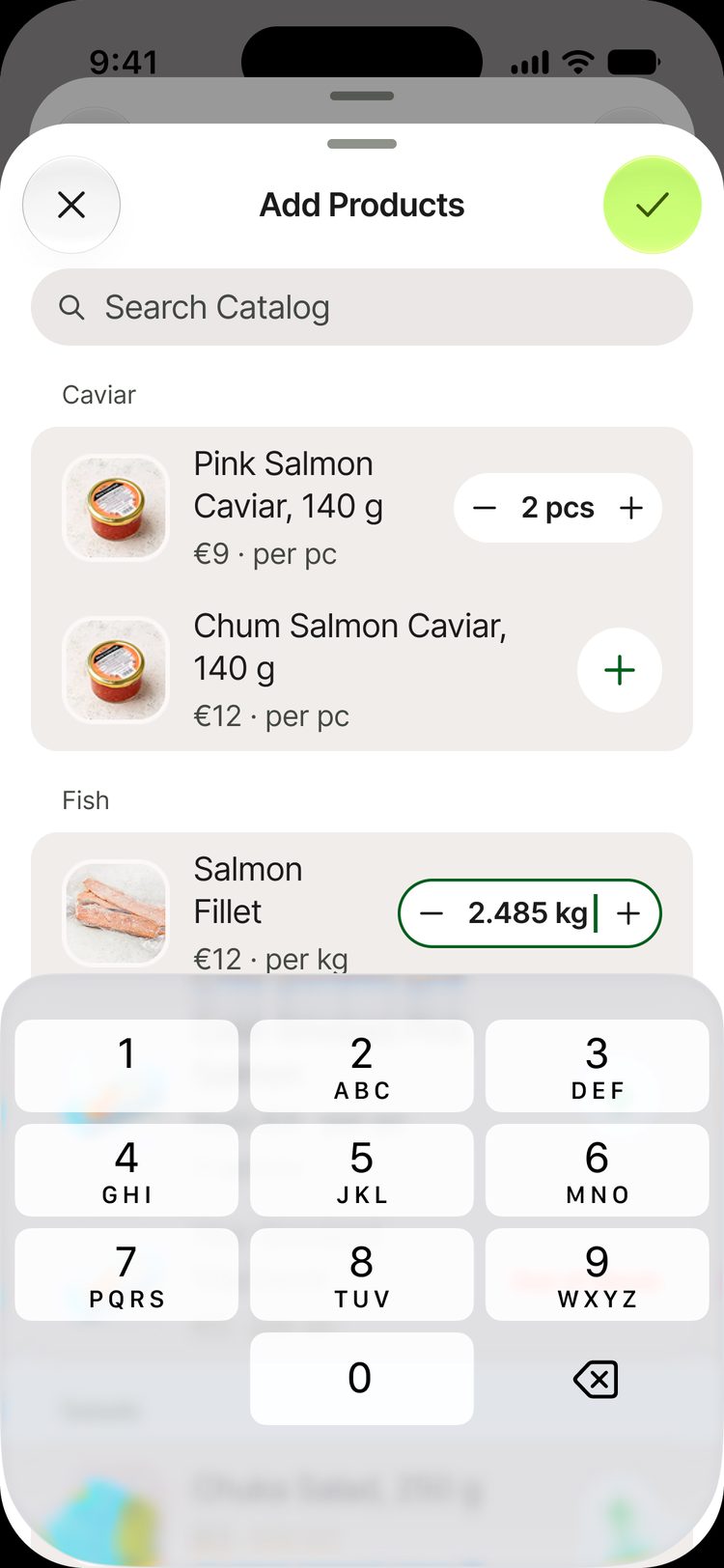
Three decimals
Weight is entered to the gram. The stepper is wider
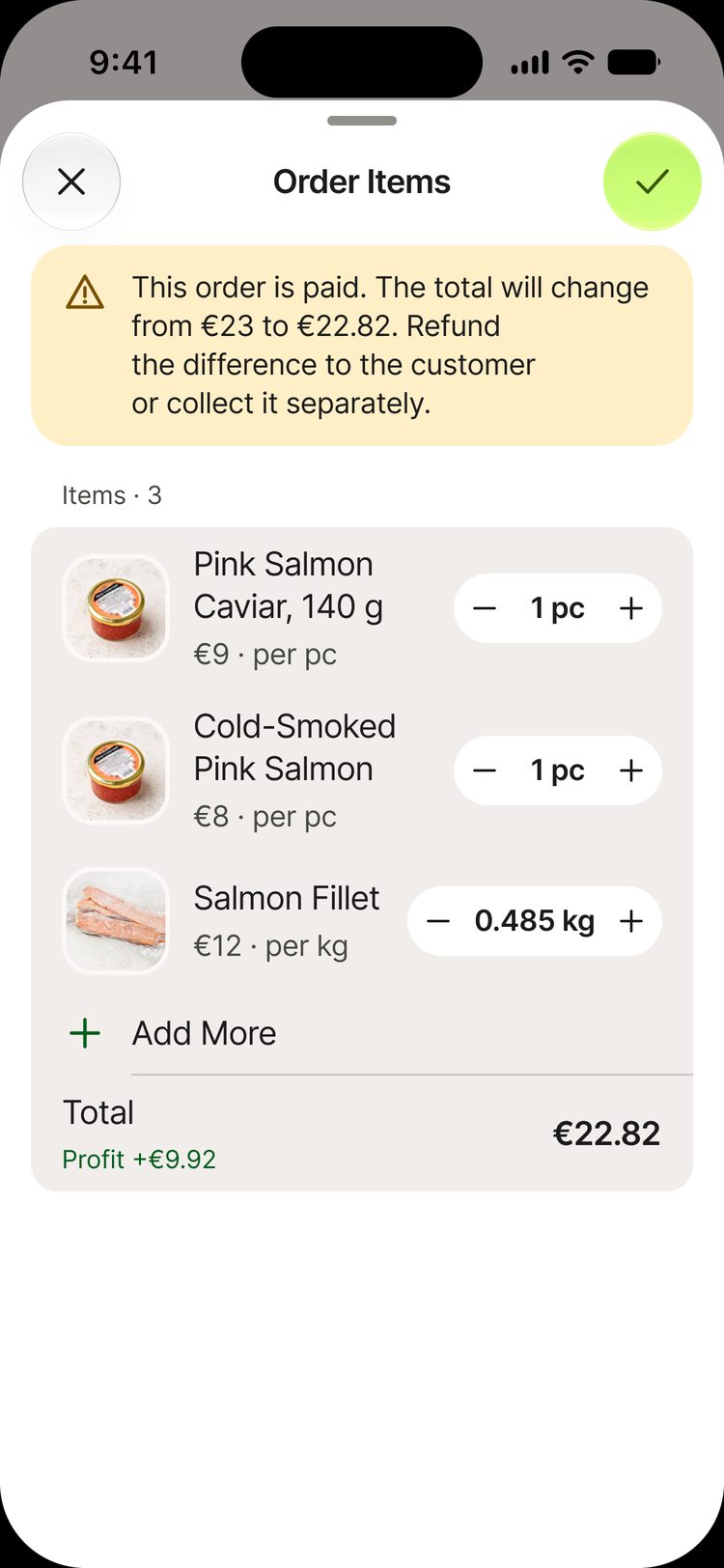
Editing items
The exact weight after weighing. If the order is paid, the app warns about the new total
The total is based on the exact weight
€12 × 0.485 kg
€5.82
Decision 4
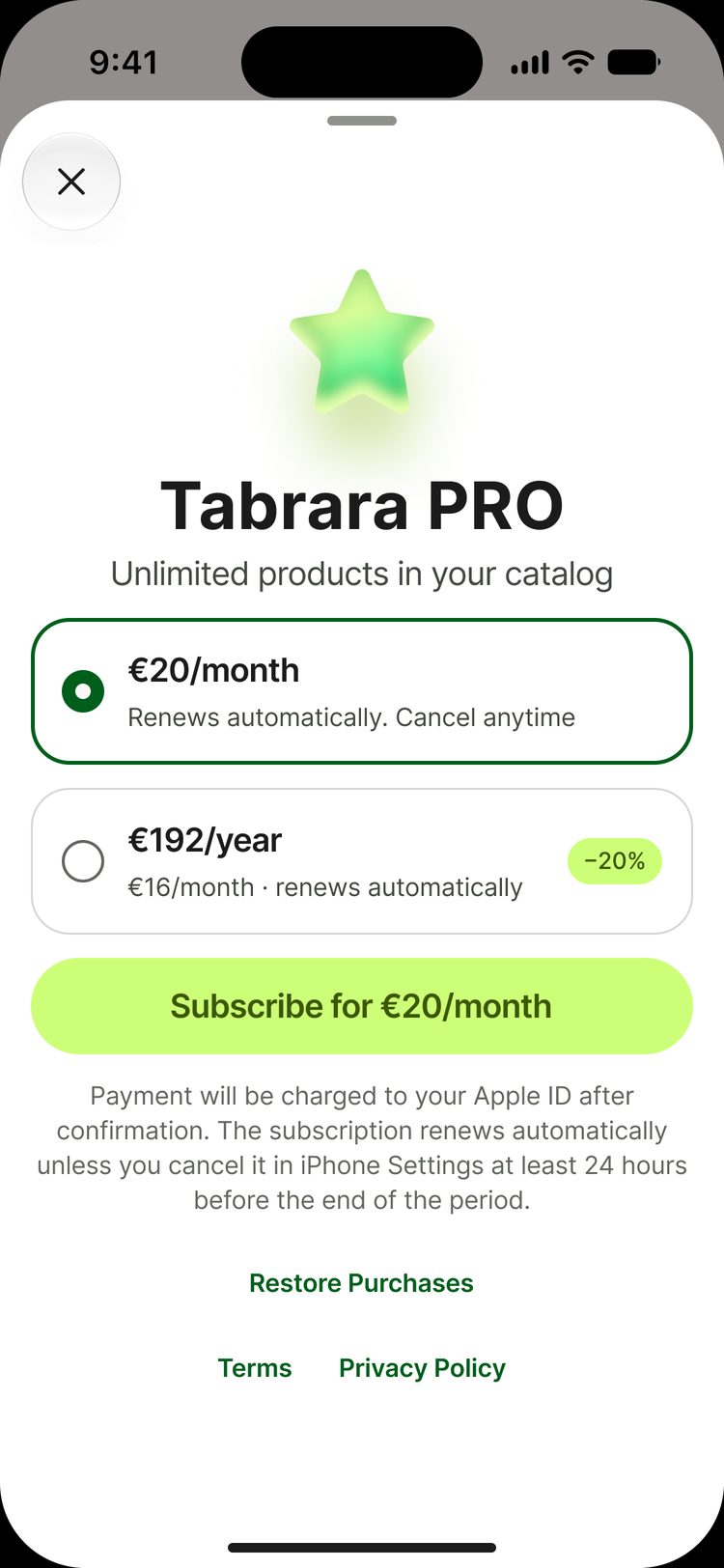
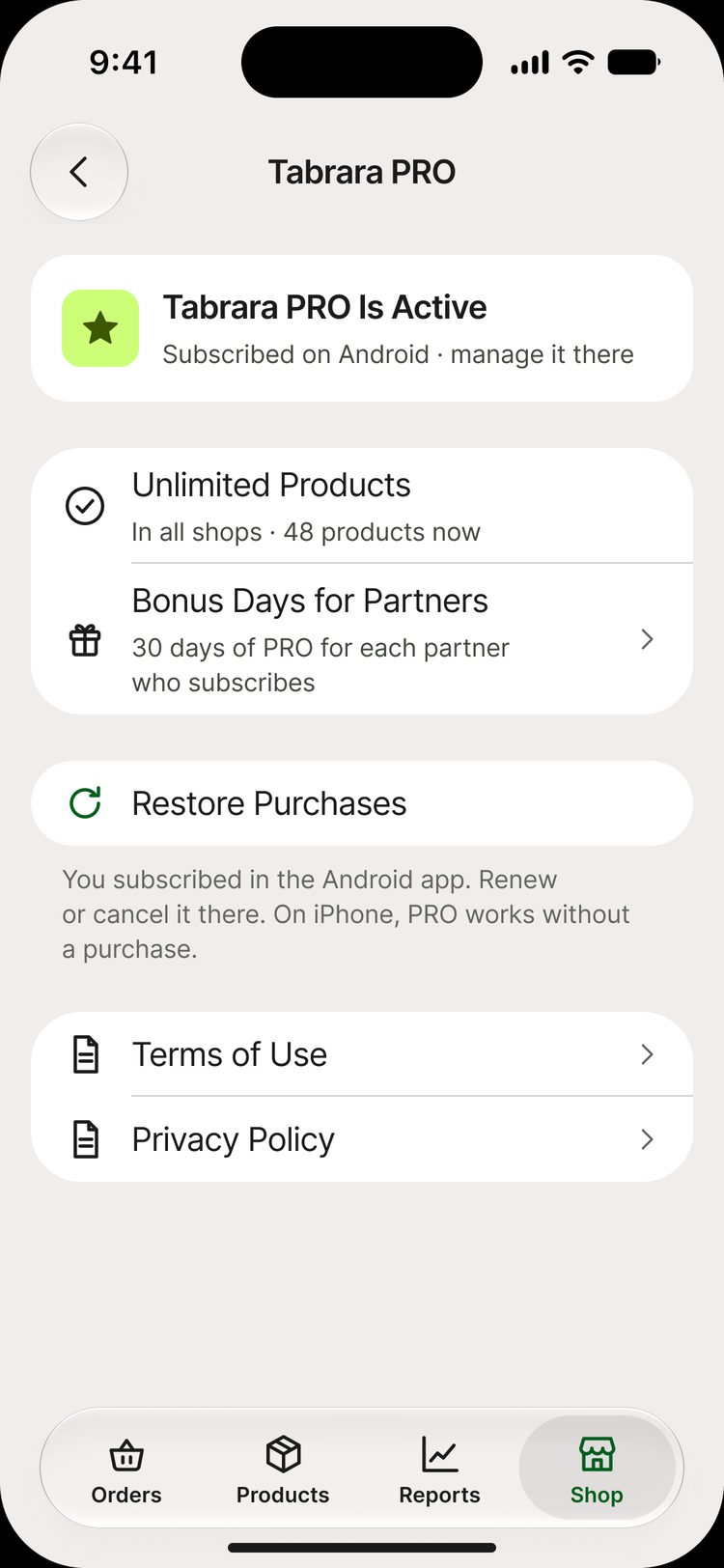
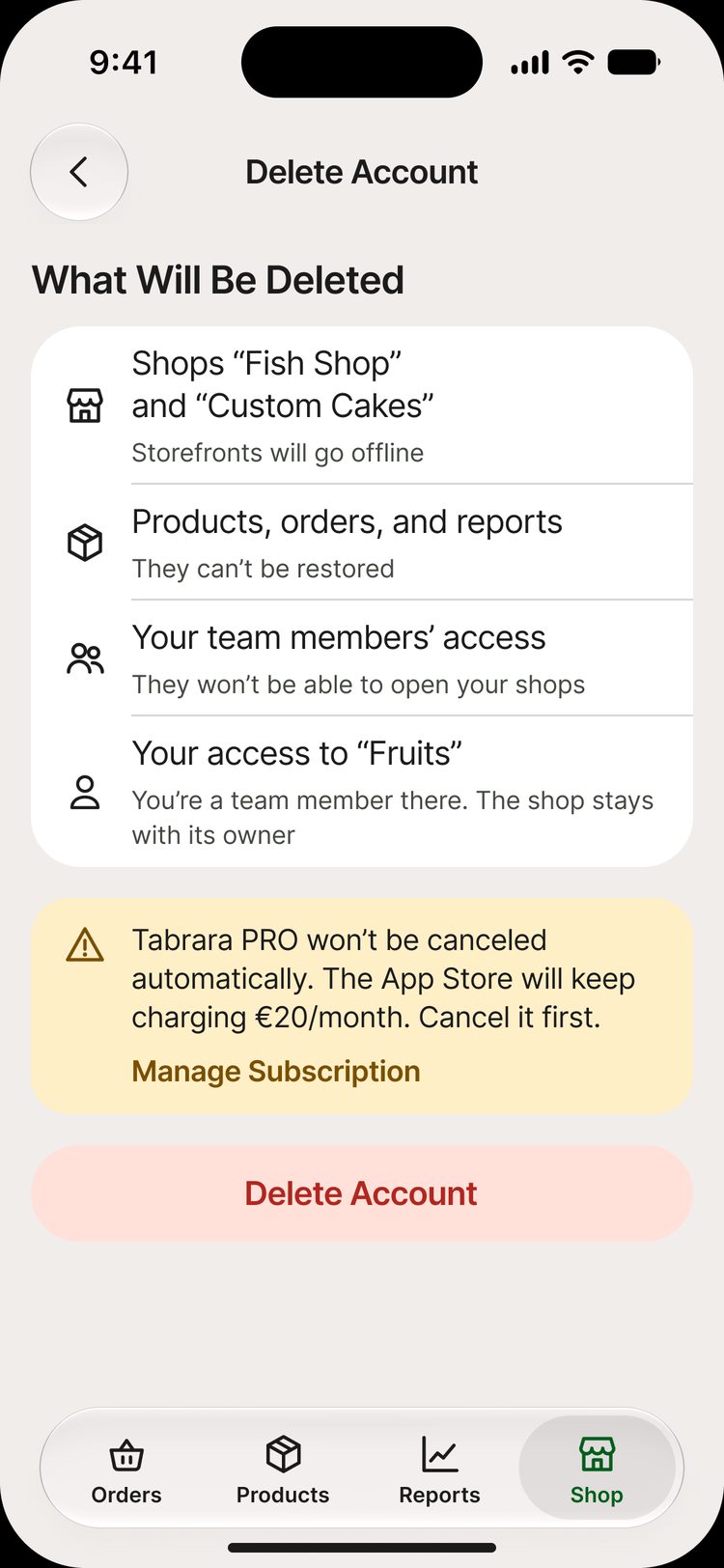
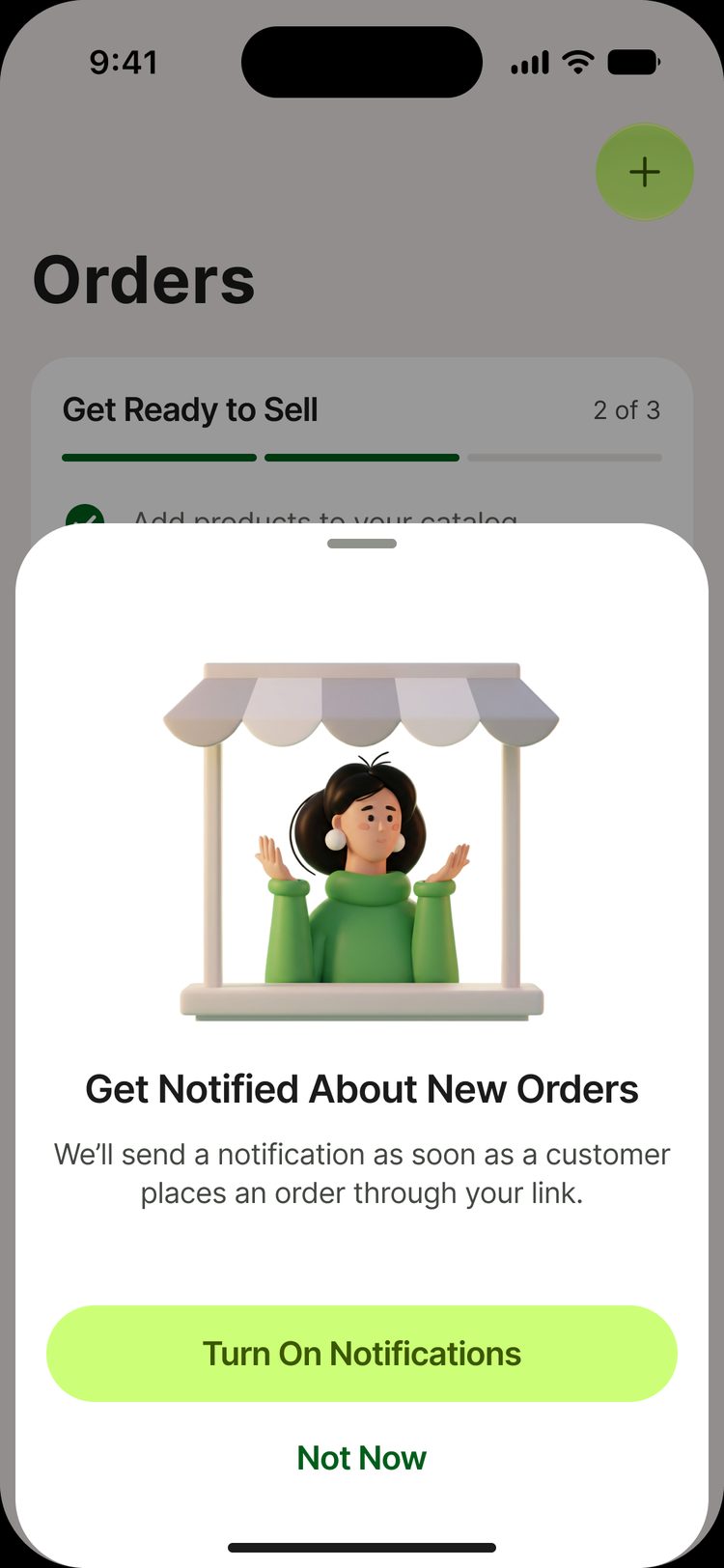
Tabrara PRO on iPhone
I could not move the subscription screens from Android as they were. The purchase goes through Apple, and Apple has its own rules for terms, restoring purchases and account deletion
Paywall
Price, renewal terms and “Restore Purchases”
PRO from Android
A subscription bought on Android also works on iPhone. There is no need to buy it again
Account deletion
Right in the app. It does not cancel the Apple subscription, and a banner warns about this
Notifications
The app asks for permission after the seller first shares the shop link, when the benefit is clear
App Store Review Guidelines: 3.1.1 (in‑app purchase), 3.1.2 (subscriptions) and 5.1.1(v) (account deletion)
Colors and themes
Colors and illustrations come from Android. Typography, icons and system components follow iOS. The light and dark themes are two modes of the same variables
| Token | Light | Dark |
|---|---|---|
| bg/grouped | #F1EDEB | #141313 |
| surface/card | #FFFFFF | #201F1F |
| text/primary | #1C1B1B | #E5E2E0 |
| accent/tint | #005E1B | #9FD49B |
| accent/fill | #CCFF77 | #A8E735 |
1.1 : 1
Lime on a light background is not readable as text. I kept it only as a fill for buttons and chips with dark labels
7.6 : 1
Dark green became the accent color for links, the active tab and icons
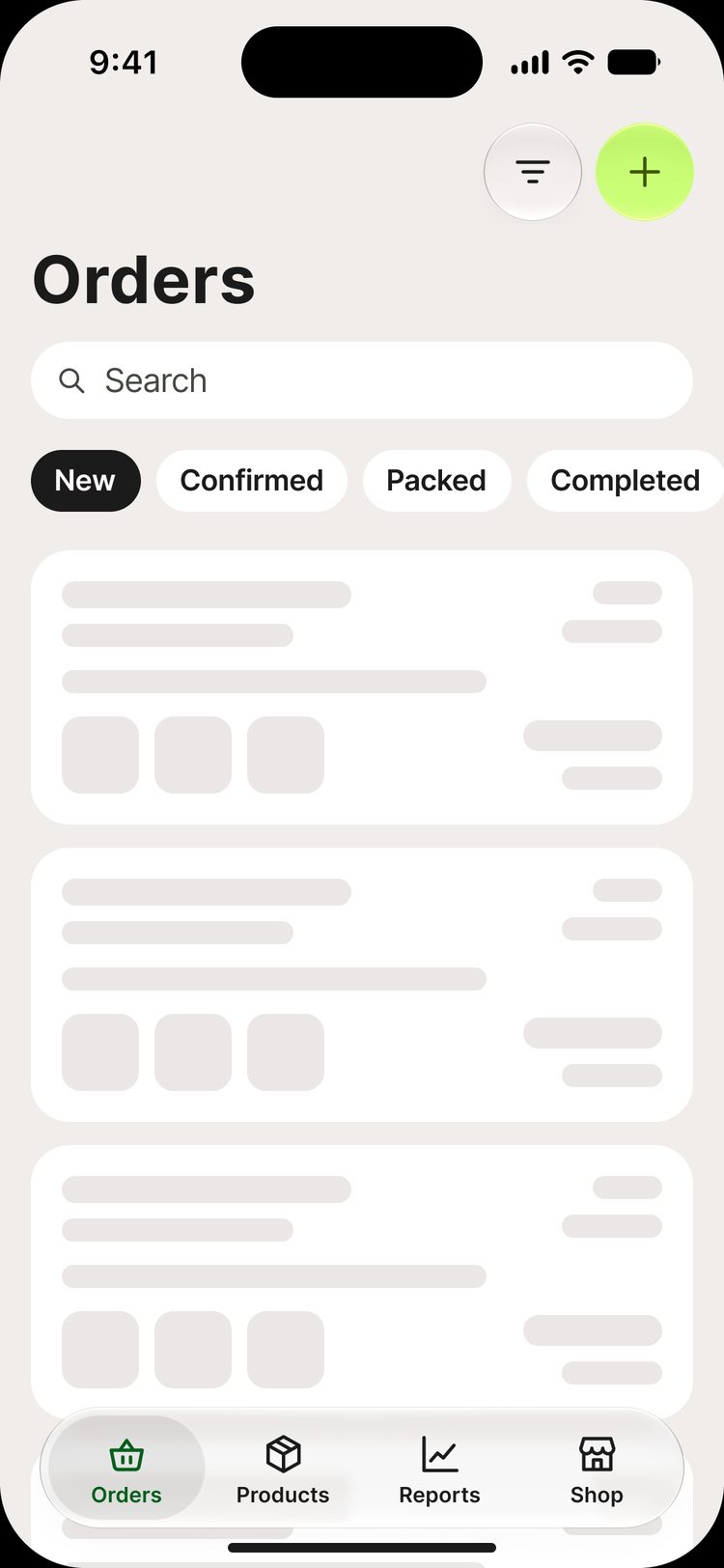
- New
- Confirmed
- Packed
- Completed
- Canceled
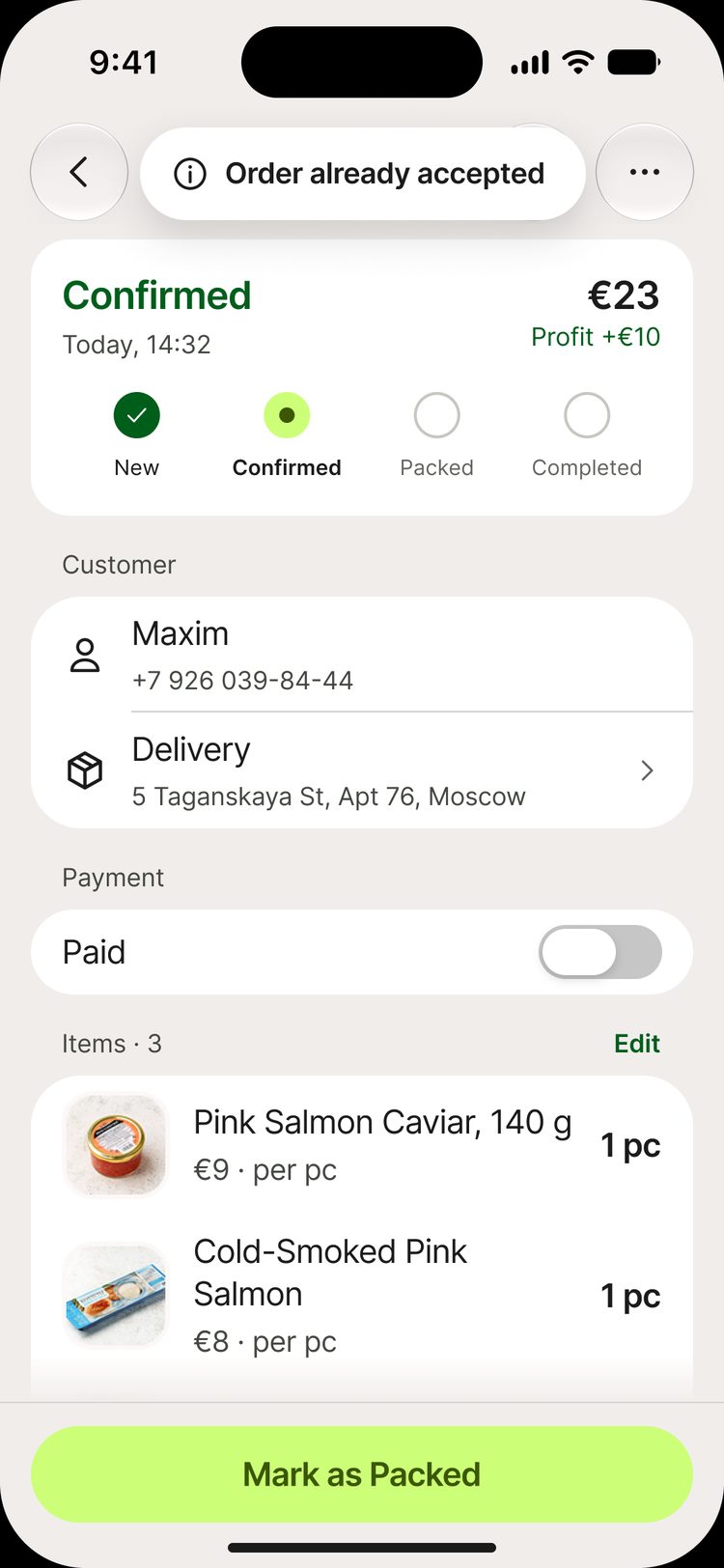
Each order status always has a word label. Color only helps
Light theme
Warm white background, dark green accent
Dark theme
Lime also works as an accent
What the review found and what I fixed
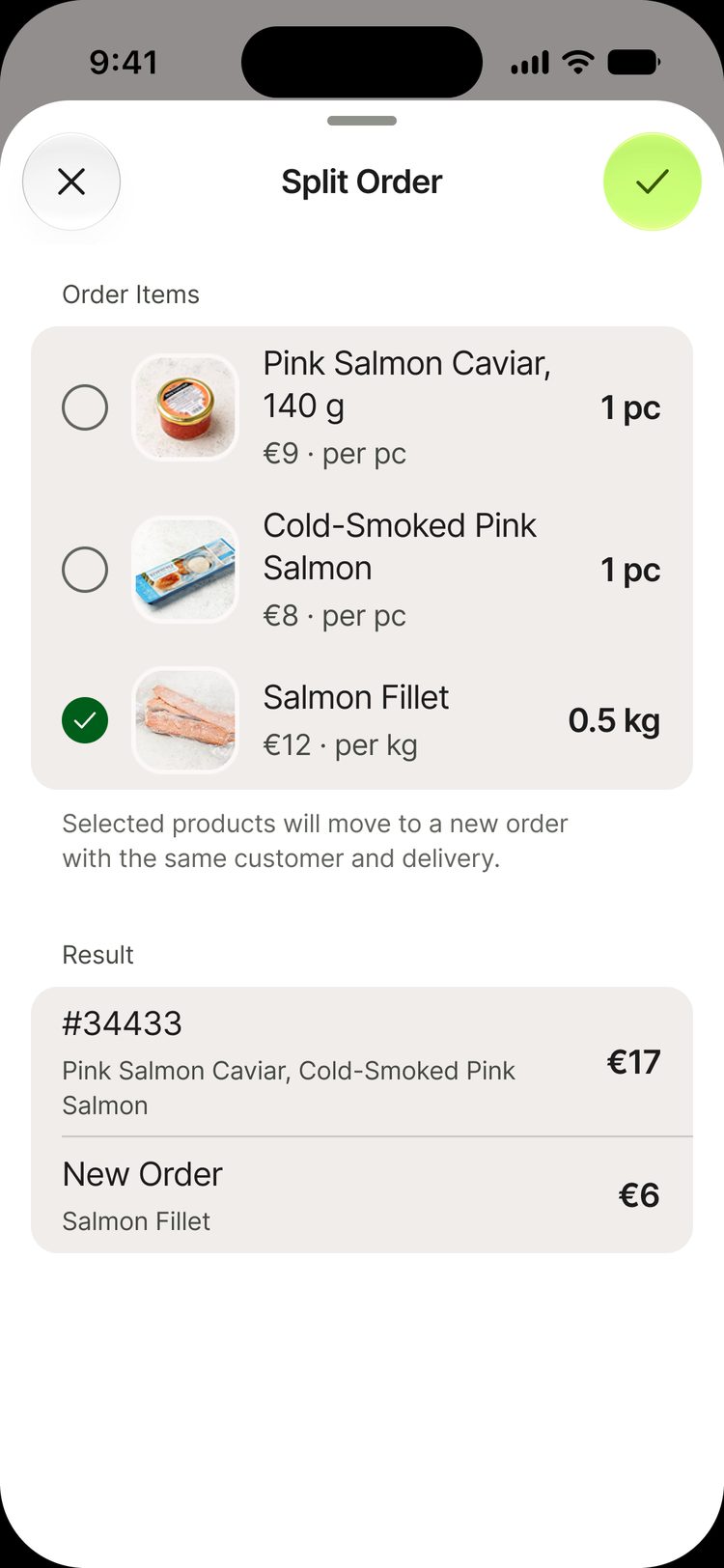
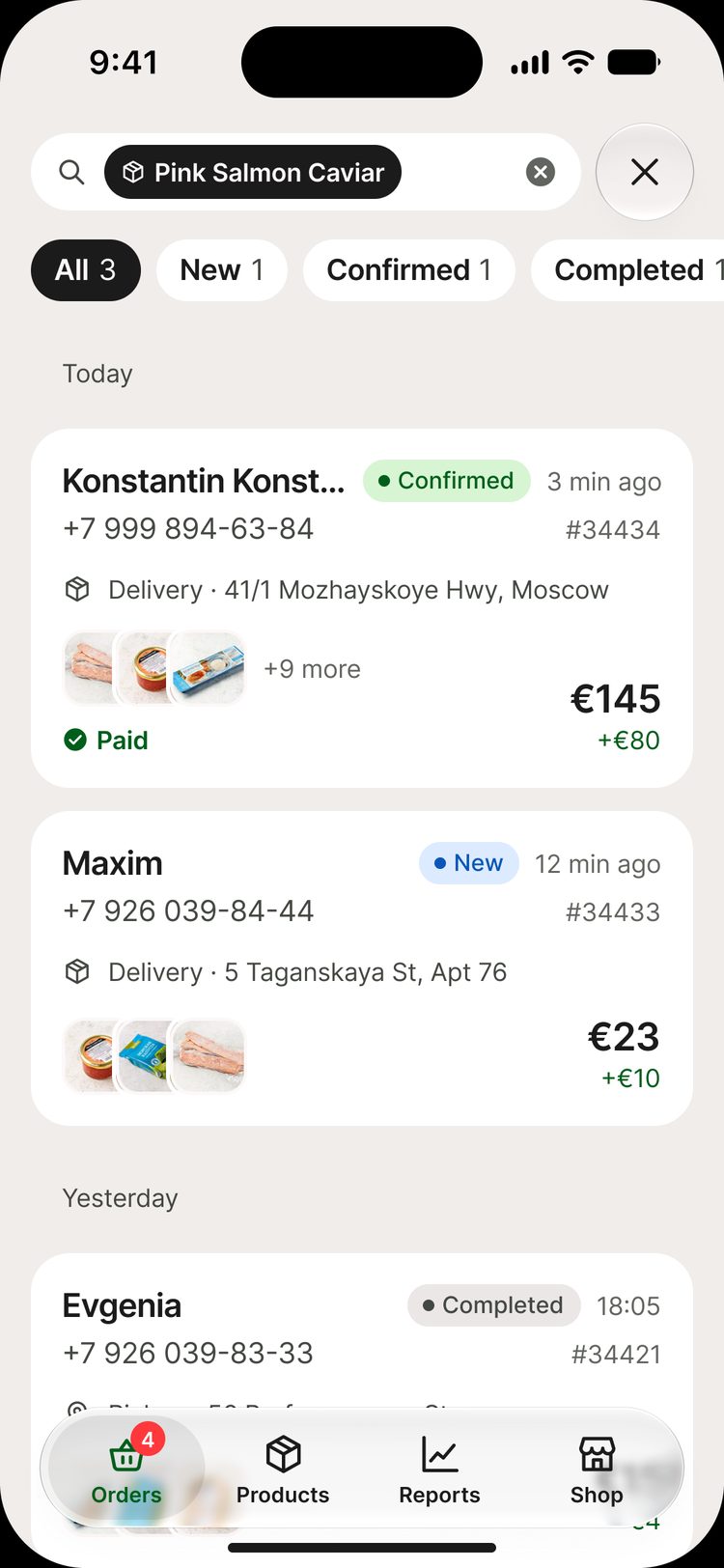
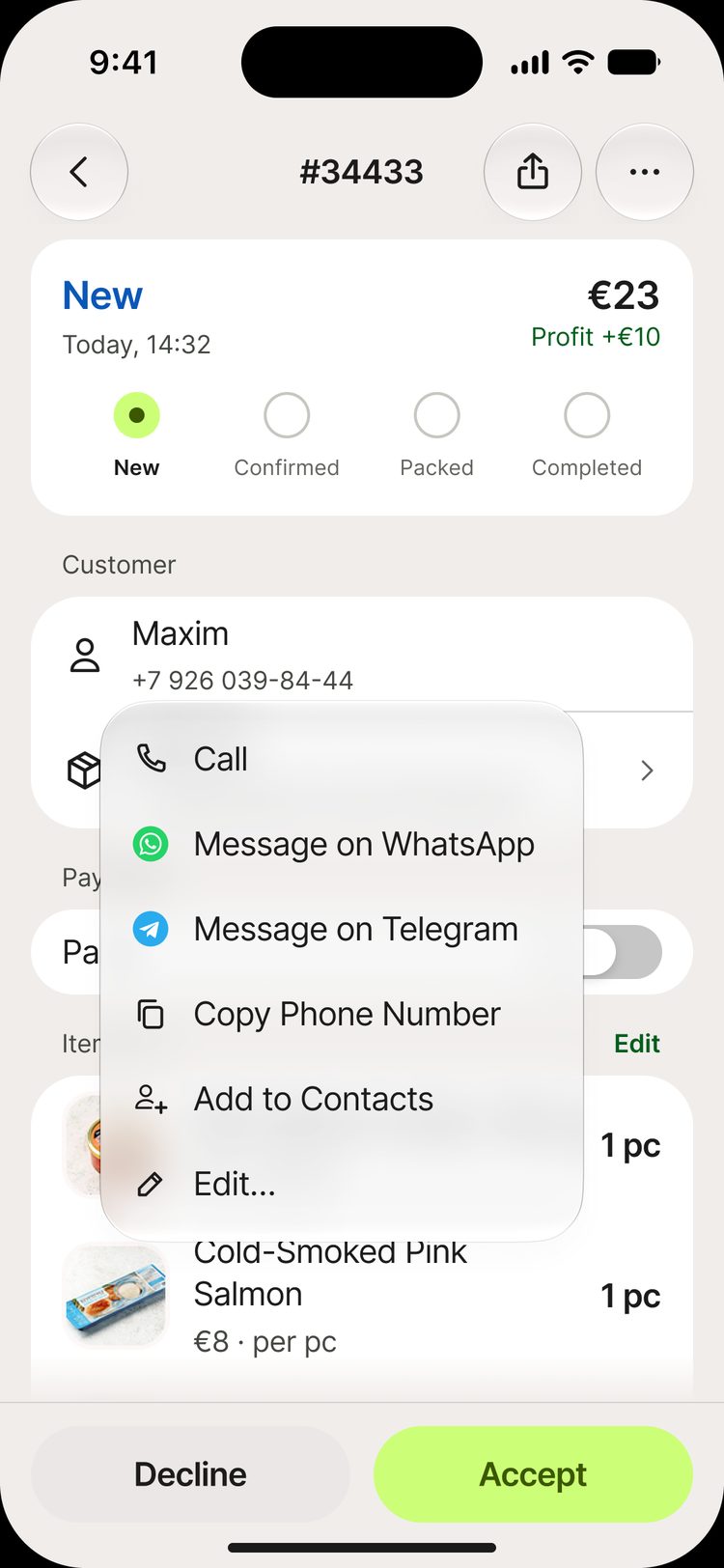
I checked each section against the Human Interface Guidelines, WCAG, the design system, UX copy, states and parity with Android. Here are three examples from Orders
WCAG 1.4.11
The selection circle was not visible
2.71 → 5.09
The outline on a gray group did not reach 3:1 contrast. I adjusted the token color and checked both themes
Parity with Android
Search lost the status filter
On Android, you can narrow the results to new orders. I brought back the row of chips with counters
HIG
The menu did not match the system menu
In iOS 26, menu icons are on the left. I rebuilt the component from the Apple kit and brought back “Add to Contacts”
What developers get
Pixels and spacing are visible in Dev Mode. The specs cover what Dev Mode does not show: transitions, behavior, states, data, UX copy and assumptions
Design system library
Variables for two themes, text styles, components
Mockups
598 frames: every screen in light and dark themes, with all states
Section specs
Orders, products, reports, sign-in, shop and subscription
UX copy and states
Glossary, VoiceOver labels, 232 numbered states
Component → SwiftUI
| tab-bar | TabView |
|---|---|
| nav-bar | navigationTitle + toolbar |
| sheet | .sheet + presentationDetents |
| alert | .alert |
| action-sheet | .confirmationDialog |
| list-row | List(.insetGrouped) |
| bar-chart | Swift Charts |
| toast | custom overlay |
Every screen with all its states
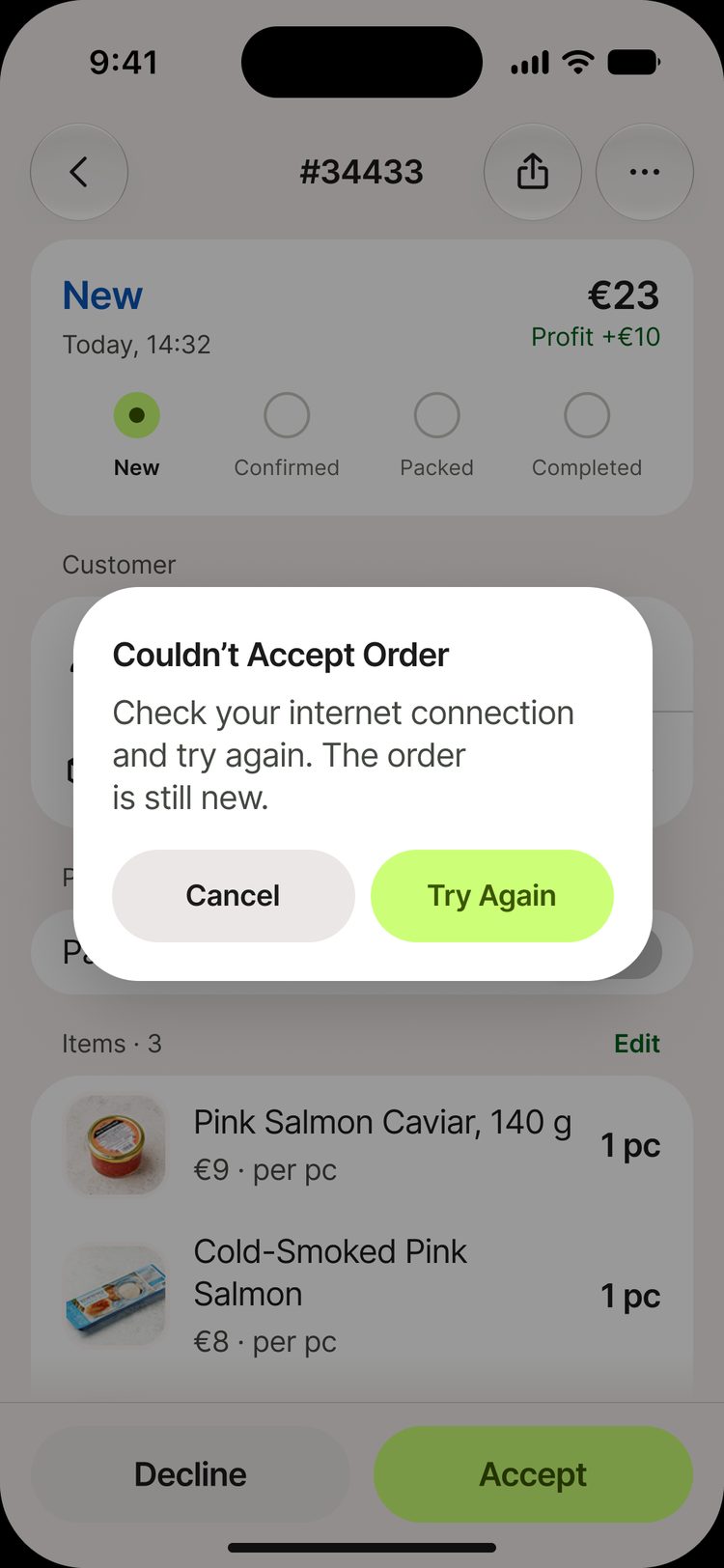
Loading, empty, offline, action error and changes from another device. In total, I described 232 states and edge cases
Loading
Empty
Offline
Action in progress
Action error
Changed on another device