Complex routes
A feature in a travel service that lets users buy tickets with transfers (plane, train, bus) and tickets for long trips with several destinations in one flow
Product designer, solo · 1 sprint · Figma
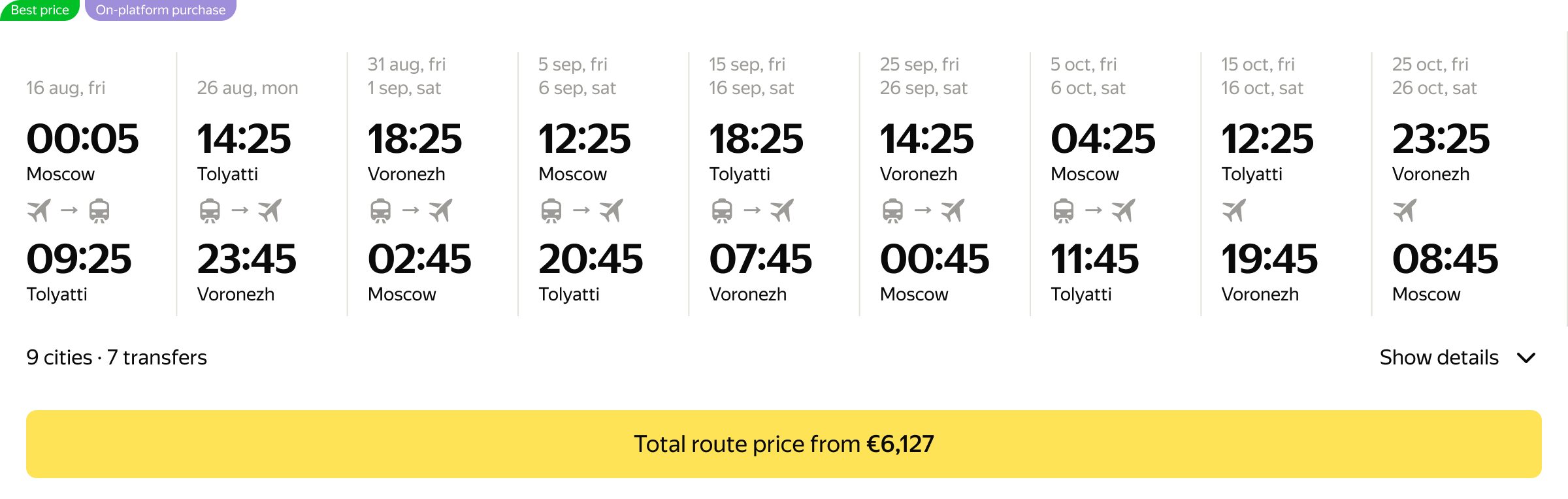
Key user problems
-

High cognitive load
If a trip is complex, people have to buy different tickets that are often not connected. They compare routes in their heads or write them in notes, so they don’t get confused
-

Long checkout
Buying tickets takes more time, because each ticket has to be bought separately and the process starts again
-
“I write down my travel routes on a piece of paper”
Anya, 32 · Experienced traveler
-
“I check everything like crazy and keep the route in my head, because I’m afraid to forget something”
Andrey, 26 · Travels with friends
-
“Once I had to buy tickets for different types of transport separately. I had to start the checkout from scratch three times. It was terrible”
Katya, 35 · Travels with family
Key business problems
-

Gap with competitors
Competitors already offer complex routes, so the service loses some clients and falls behind the market
-

Low AOV
Users can’t buy the whole route in one order, so the service loses part of the revenue from every such trip
Hypothesis from my own estimate: after launch, profit is expected to grow by 10% and AOV by 15%
Smart switch to a complex route
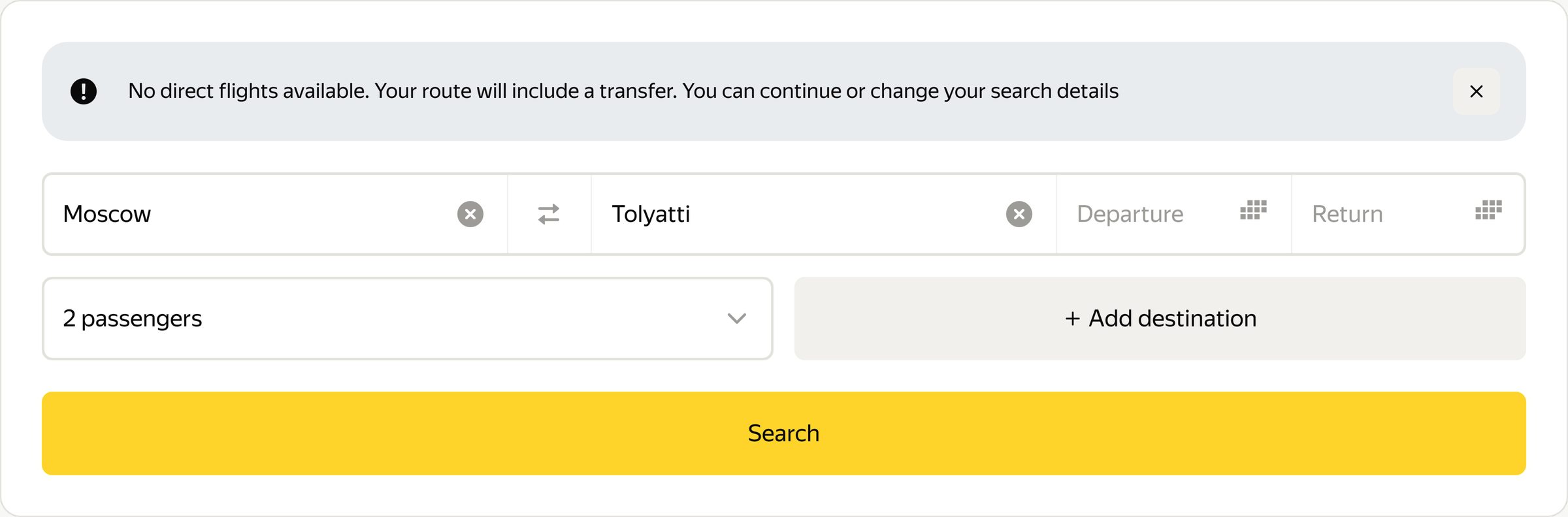
A user looks for tickets from Moscow to Tolyatti and doesn’t know that there are no direct flights. The system changes the flow to complex routes by itself and immediately shows a hint with an explanation and next steps
Before the final version, other approaches were considered: a different switching logic, a different route card design and a different way to show the transfer warning. The final version was chosen after tests
Before

After
What the tests showed
Usability tests showed that users need a clear hint that the route has changed. Without it, it is hard to decide: go on to the tickets or choose a city with a direct flight
-

1st version
Users did not notice that the route became complex
-

Final version
Users saw at once that the route had changed
The feature covers different scenarios
Family trip
When the whole family travels together, passengers usually stay in one group all the way. This is the main scenario, so by default the number of passengers is the same for the whole route
Solves Katya’s problem: buying the whole trip in one order, not part by part
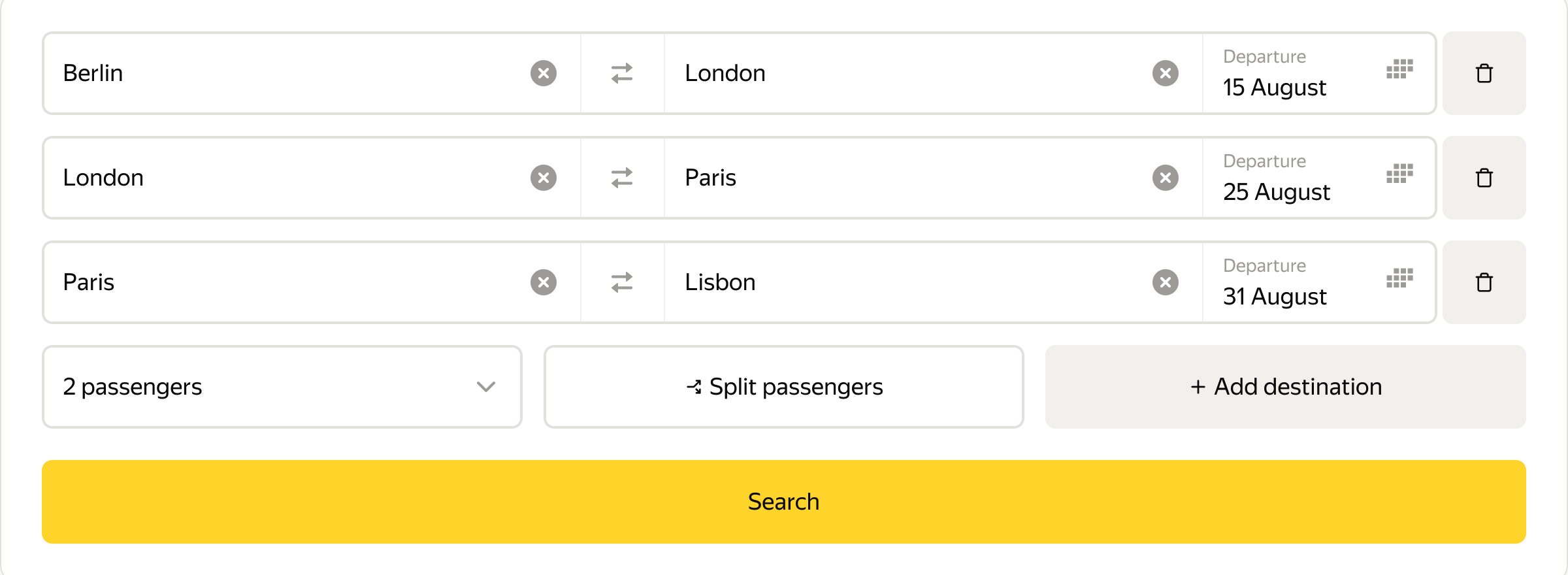
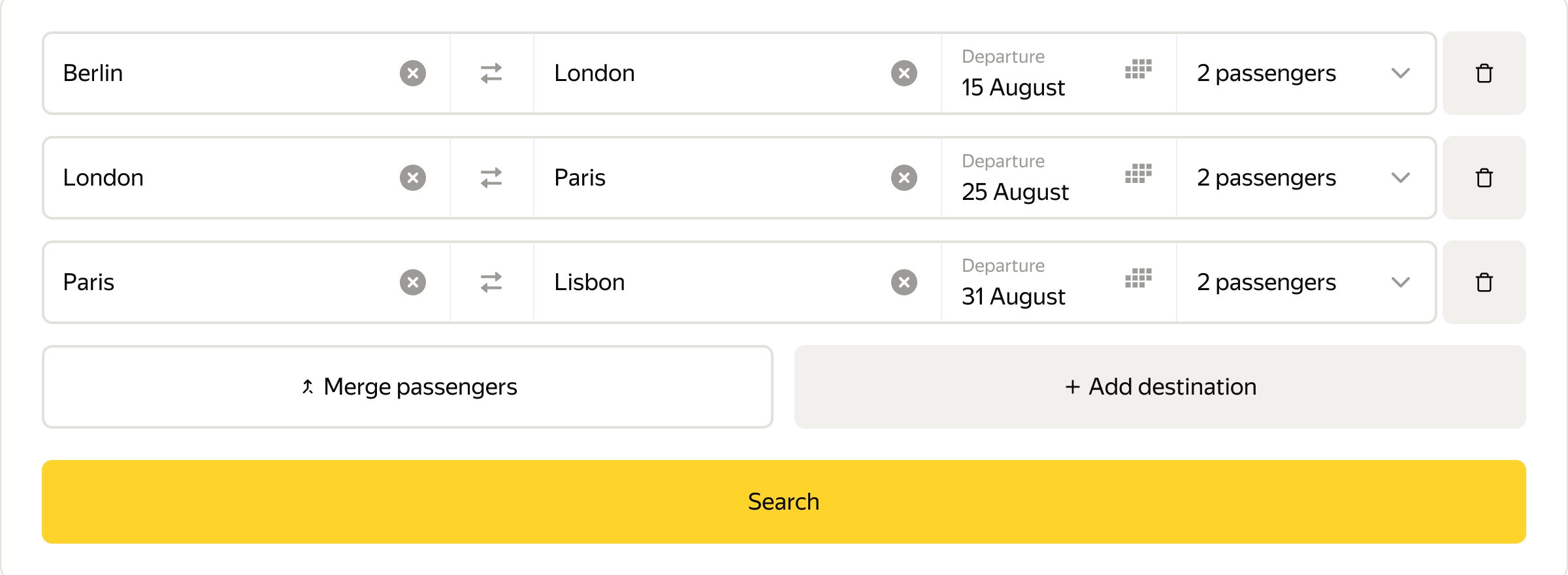
Business trip
When colleagues split up on different days, the service lets users set the number of passengers for each flight separately
Search results
After the user presses the “Search” button, they see a results screen with all available tickets
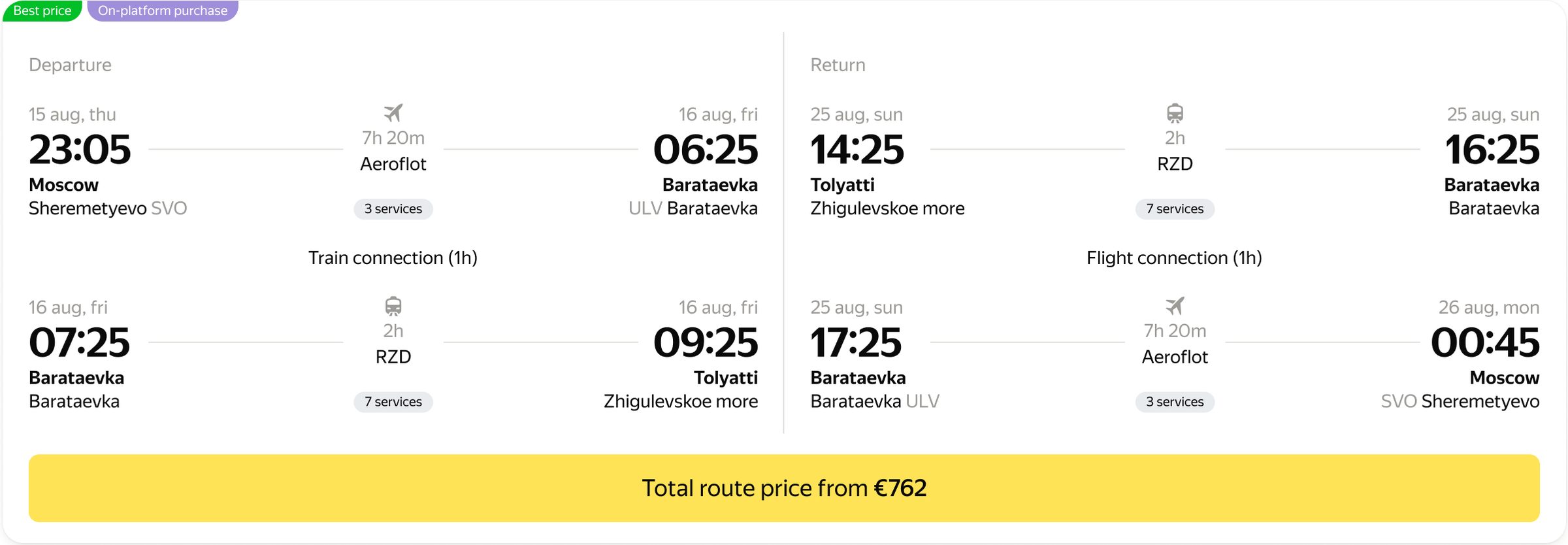
Users liked this design: the route cards were easy to understand, and the “Services” section got special praise
Replaces Andrey’s habit of writing the route on paper
Route setup
The service lets users fully customize the route, like in a builder
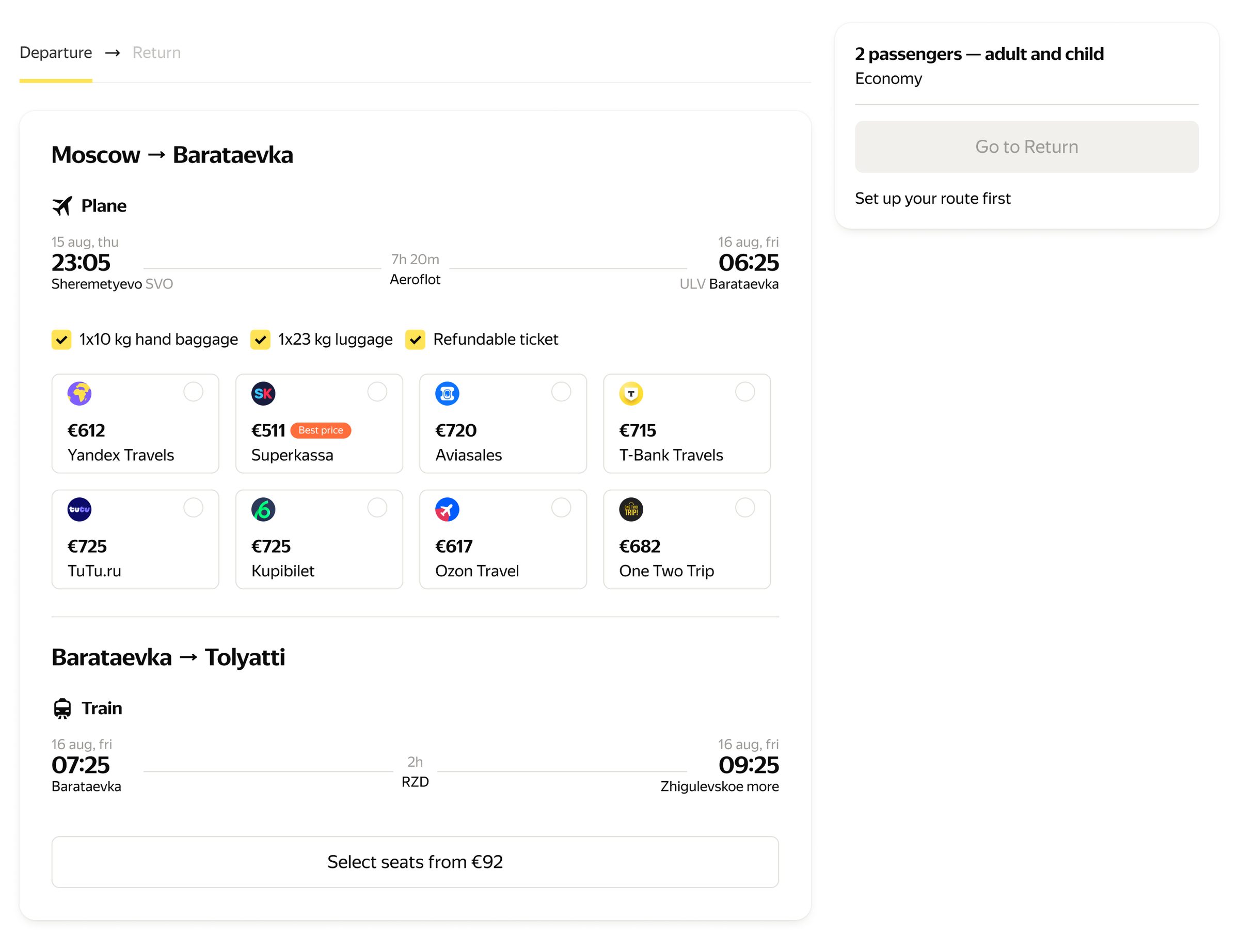
A ticket can be bought only inside the service
If a part of the route is cheaper at a partner, this part is not included in the total order, and the user needs a clear explanation of what happened
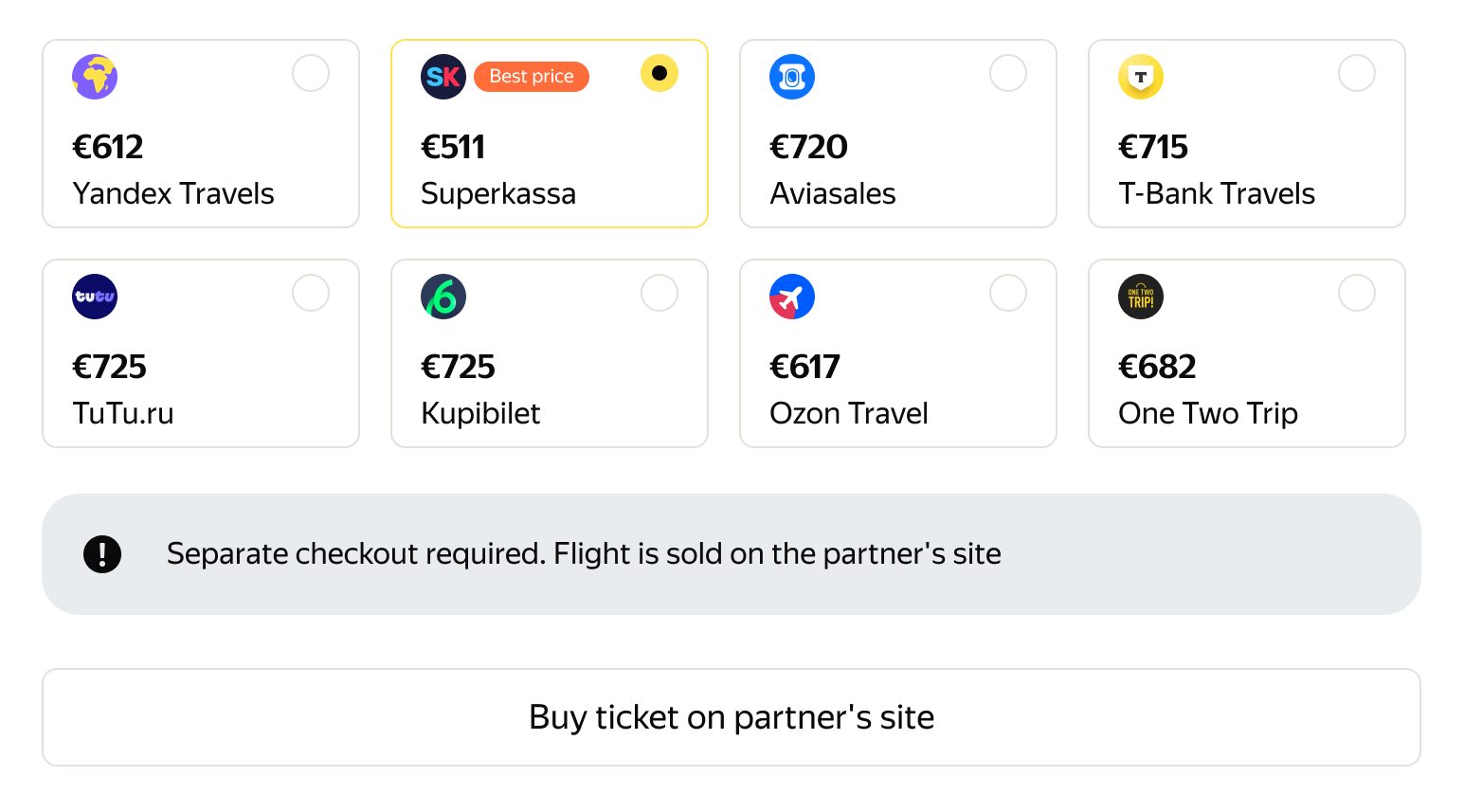
Tests showed: at first, users did not understand that this ticket is bought separately. After a clear notice, they understood it at once
Route details and passenger data
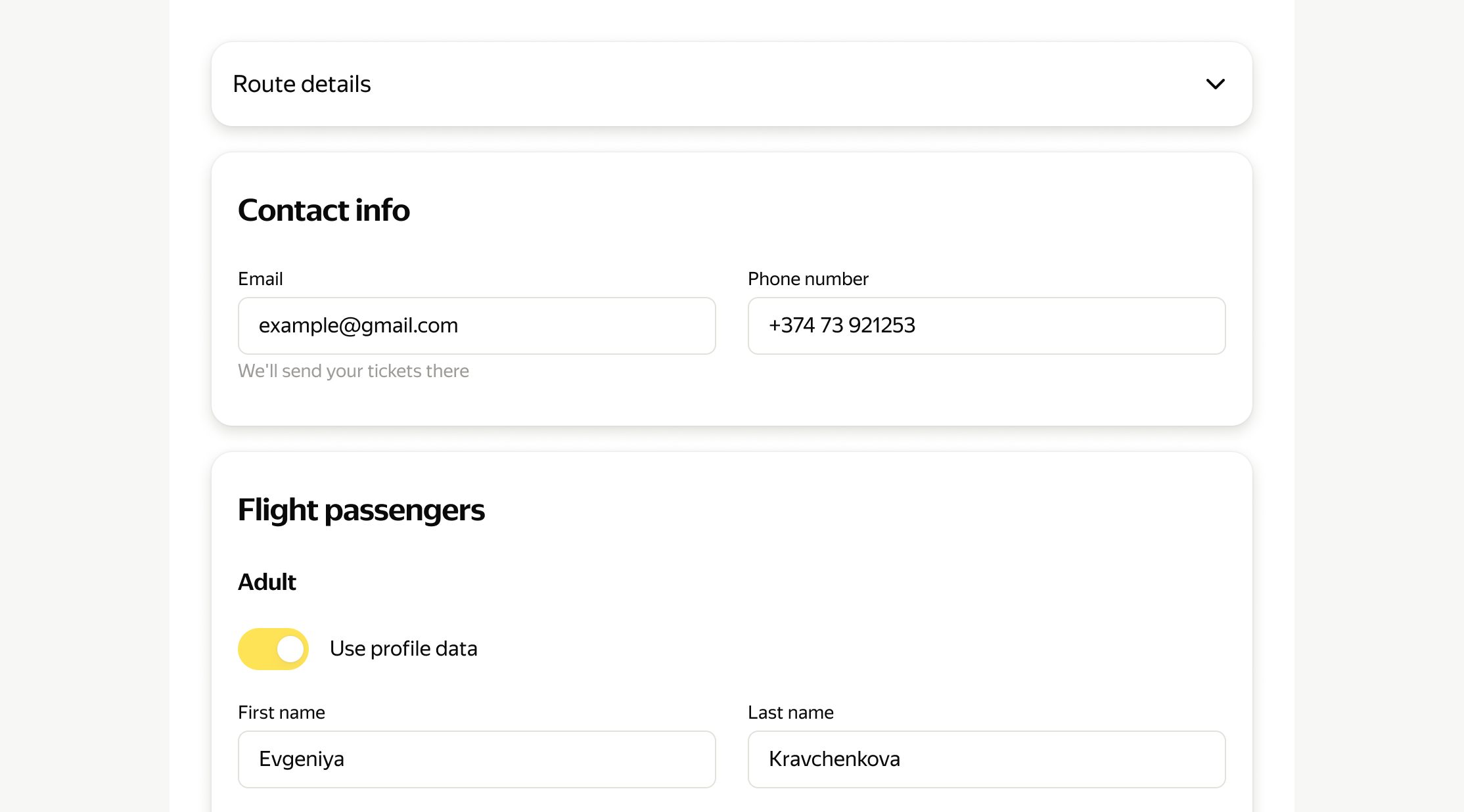
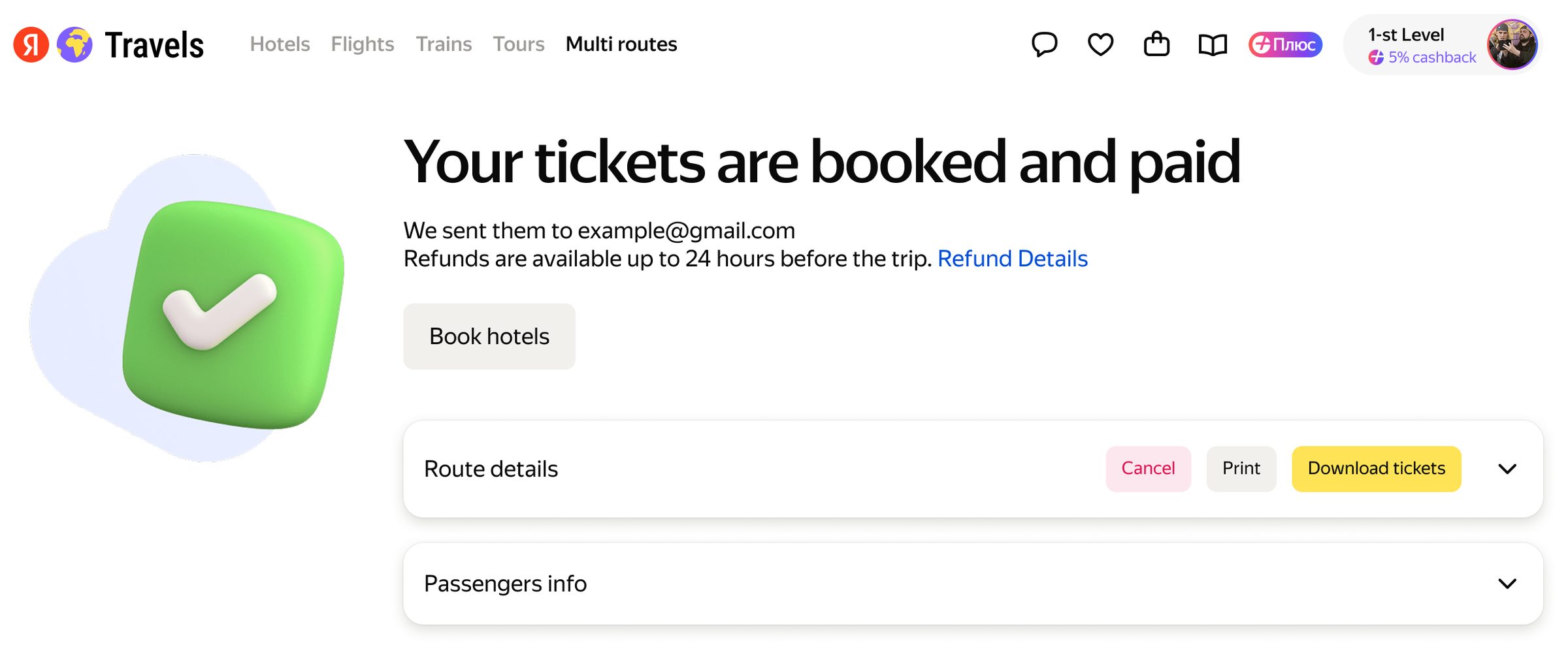
Users especially noted two things: the “Route details” section lets them check the data twice, and the “Data from profile” switch makes filling in the fields faster
Answers the needs of Andrey and Katya: checking every detail of the route and buying tickets fast


Conclusion
Tests with real users showed that the feature reduces cognitive load and saves time on a complex route. After launch, this should help the business catch up with competitors and increase AOV
What was the hardest part
The hardest part was not the separate screens, but the logic of switching between the normal and the complex flow. It was also hard to show the route setup in a clear way, so the user can build the route like in a builder and not get lost in details. These parts were redesigned several times after tests